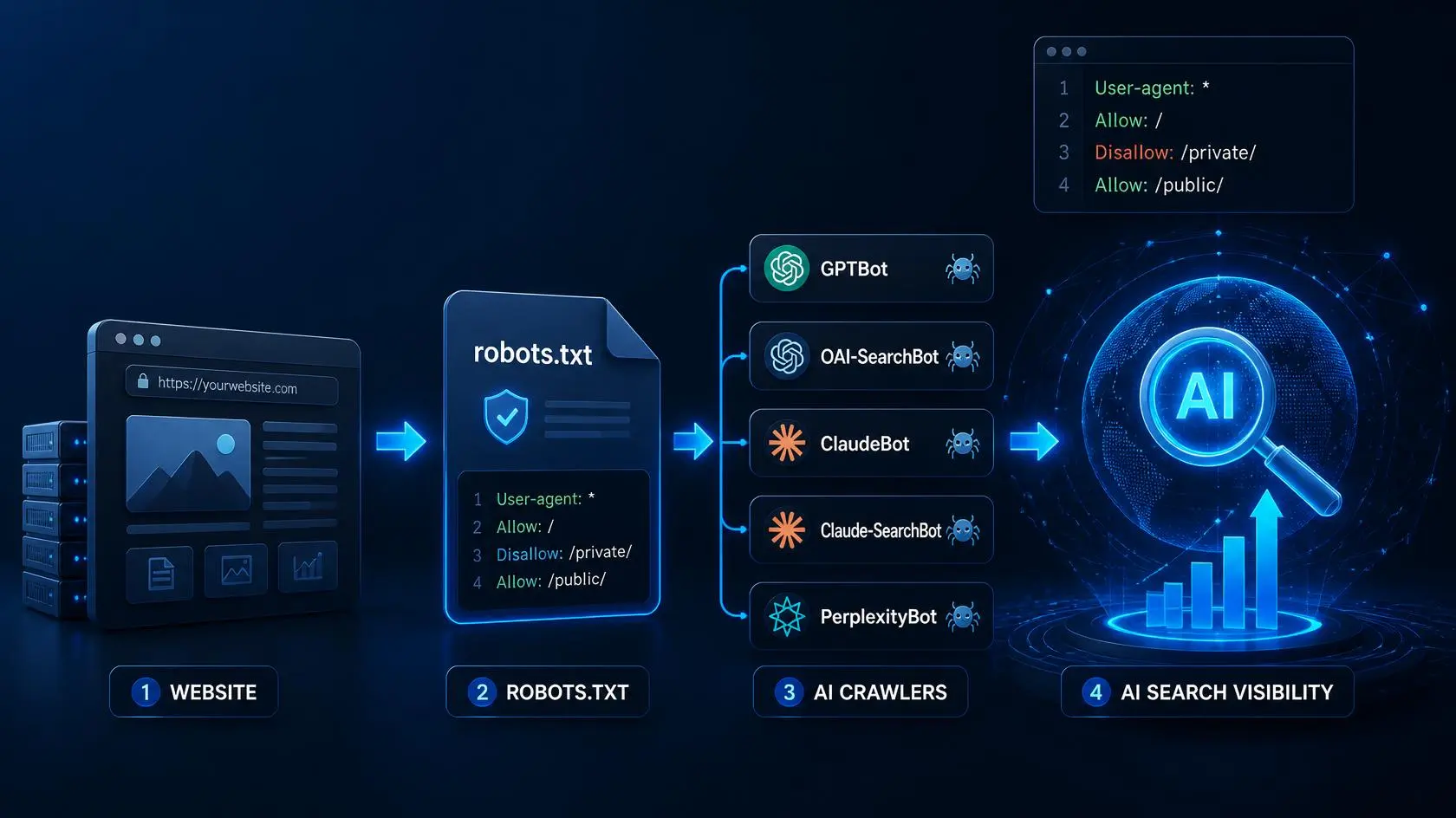
How to Allow AI Crawlers in robots.txt
Learning how to allow AI crawlers in robots.txt can help website owners control how AI search systems access their public content. In this guide, you’ll learn how to configure robots.txt for GPTBot, OAI-SearchBot, ClaudeBot, Claude-SearchBot, PerplexityBot, and Google-Extended.
A small business owner checks ChatGPT for a question directly related to her own blog. Her Google rankings are fine, and her organic traffic hasn’t dropped, but ChatGPT cites three competitors and never mentions her site.
She hasn’t necessarily done anything wrong. She may simply have overlooked one important technical detail: how her website’s robots.txt file handles AI crawlers.
A robots.txt file generated years ago by a WordPress security plugin can quietly block AI crawlers such as GPTBot, ClaudeBot, or PerplexityBot. Depending on the crawler and what you want to achieve, that could affect whether AI systems can access and potentially surface your content. AI search is only one part of the changing digital marketing landscape. You can also explore our guide to the 10 best AI marketing tools in 2026 for content, SEO, automation, and analytics.
If you’ve never opened your robots.txt file and checked its AI crawler rules, now is a good time. This guide explains what the major AI crawlers do, which ones are used for search or retrieval, which ones are associated with training, and how to configure your robots.txt file deliberately instead of accidentally blocking valuable discovery channels.
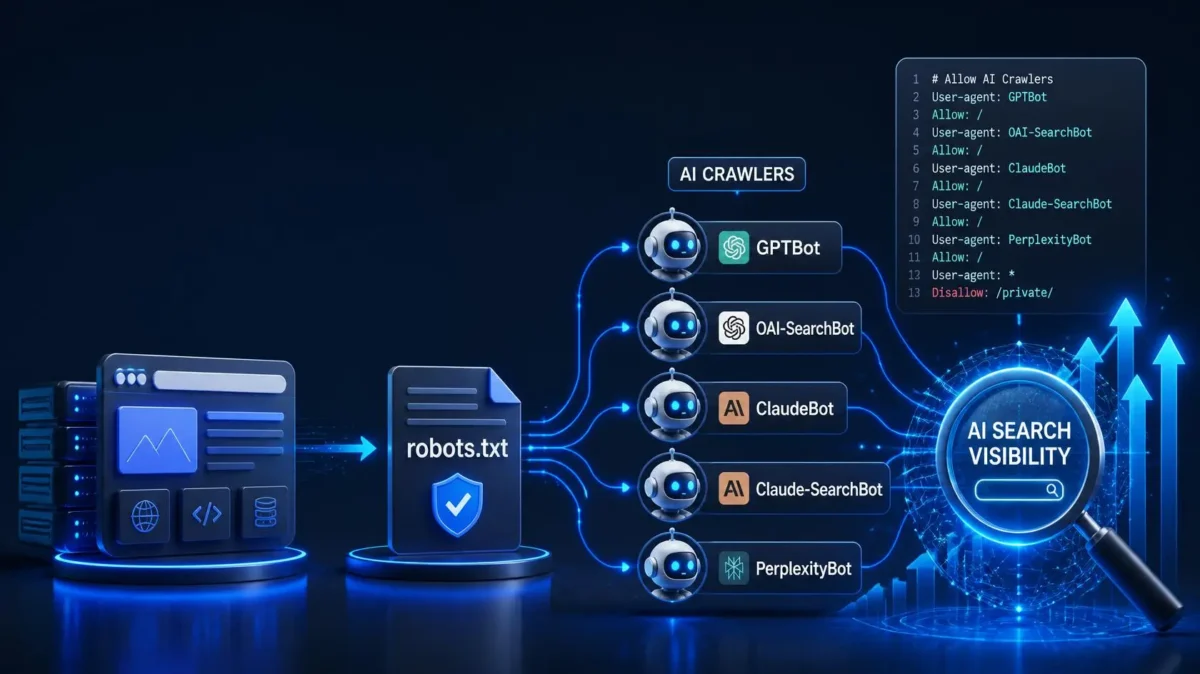
Quick Answer: Which AI Crawlers Should You Allow?
If you want AI search visibility, generally allow OAI-SearchBot, Claude-SearchBot, and PerplexityBot. GPTBot and ClaudeBot are primarily associated with training-related crawling, so you can decide separately whether to allow or block them. Perplexity explains how PerplexityBot follows robots.txt and how blocked pages are handled.
The right robots.txt setup depends on whether you want maximum AI visibility, limited AI training use, or a combination of both.
Why Robots.txt Suddenly Matters Again
Robots.txt has been around since 1994. For most of its life, it did one boring, reliable job: tell search engines which pages to crawl and which to leave alone. Nobody thought about it much once it was set up correctly.
That changed when AI search tools started answering questions directly instead of just linking out to websites. When someone asks ChatGPT, Claude, or Perplexity a question today, the AI doesn’t always rely on what it memorized during training. Increasingly, it fetches your actual page in real time, reads it, and cites it as a source in the answer it gives the user.
That only works if the AI’s crawler is allowed to see your page in the first place. If your robots.txt says no, the AI simply skips you and moves on to the next source — usually a competitor who never bothered to block anything.
This is the part that trips people up: your site can rank perfectly well on Google and still be invisible to ChatGPT, Claude, or Perplexity. The two systems check different signals, and robots.txt is one of the places where they genuinely diverge.
Not All “AI Bots” Do the Same Job
Not every AI crawler has the same purpose. One of the most important distinctions is between training crawlers and search or retrieval crawlers.
Training Crawlers
Training crawlers collect publicly accessible content that may be used for developing or improving AI models. Examples include GPTBot from OpenAI and ClaudeBot from Anthropic.
If you block a training crawler, you are expressing a preference about how that crawler may access your content for the purposes associated with it. However, blocking a training crawler does not automatically remove your website from that company’s AI search or retrieval systems.
Search and Retrieval Crawlers
Search and retrieval crawlers access webpages to help an AI search system find relevant information for users. Examples include OAI-SearchBot, Claude-SearchBot, and PerplexityBot.
If your goal is to increase the chance that your content can be discovered and potentially cited in AI-powered search results, these crawlers deserve particular attention.
Why the Difference Matters
The two categories should not be treated as interchangeable.
For example, blocking GPTBot does not mean that you have blocked OAI-SearchBot. Similarly, blocking ClaudeBot is not the same as blocking Claude-SearchBot.
This gives website owners more control. You can decide whether to allow search-related crawling while making a separate decision about training-related access.
The key takeaway: decide what you want each crawler to be allowed to do instead of treating every AI bot as one category.
Meet the Bots: A Practical Reference
Rather than memorizing a huge list, it helps to think of this by company. Each major AI provider runs a small family of crawlers, usually with a training bot and a search bot living side by side.
OpenAI operates different crawlers for different purposes. You can see the company’s official OpenAI web crawler documentation for details about its crawler behavior and access rules.. GPTBot handles training data collection. OAI-SearchBot builds the index that powers ChatGPT’s search feature and decides what gets cited in a live answer. ChatGPT-User is different again — it activates only when an actual person, mid-conversation, asks ChatGPT to visit a specific link.
Anthropic follows a similar three-part structure with ClaudeBot for training, Claude-SearchBot for citation-driving retrieval, and Claude-User for on-demand fetches triggered by a real person’s request inside Claude.
Perplexity uses PerplexityBot to crawl websites and help surface relevant pages in Perplexity search results, where those pages can be cited and linked to users. Perplexity-User is different: it is used when a person explicitly asks Perplexity to access a particular webpage. Perplexity’s documentation distinguishes these two use cases, so blocking PerplexityBot and blocking user-requested access are not necessarily the same thing.
Google uses the Google-Extended robots.txt control token to manage whether content crawled by Google may be used for certain Gemini and Vertex AI training and grounding purposes. Unlike Googlebot, Google-Extended is not a separate crawler that fetches your pages. Blocking Google-Extended does not prevent your pages from appearing in Google Search or affect your normal Google Search rankings.
Apple, Amazon, and Meta each run their own crawlers too — Applebot-Extended, Amazonbot, and Meta-ExternalAgent, respectively — though these tend to matter less for most small and mid-sized sites unless you’re specifically trying to optimize for those ecosystems.
There’s also CCBot, run by the nonprofit Common Crawl project. It doesn’t train models itself, but its dataset gets reused by dozens of smaller AI labs that don’t run their own crawlers, so it’s worth a mention even though it’s not a household name.
AI Crawler and Robots.txt Reference
| Bot or control | Company | Main purpose | Allow for AI search visibility? |
|---|---|---|---|
| GPTBot | OpenAI | Collects content that may be used for AI model training | Optional |
| OAI-SearchBot | OpenAI | Crawls content for ChatGPT search results | Generally yes |
| ChatGPT-User | OpenAI | Fetches pages when a user asks ChatGPT to access a specific URL | Usually yes |
| ClaudeBot | Anthropic | Crawls content for model training and related purposes | Optional |
| Claude-SearchBot | Anthropic | Crawls content for Claude search and retrieval | Generally yes |
| Claude-User | Anthropic | Fetches pages in response to a user’s request | Usually yes |
| PerplexityBot | Perplexity | Crawls websites for Perplexity search | Generally yes |
| Perplexity-User | Perplexity | Handles user-requested webpage access | Special case |
| Google-Extended | Controls certain AI training and grounding uses of Google-crawled content | Optional |
Googlebot vs Google-Extended: What’s the Difference?
One of the easiest mistakes to make is treating Googlebot and Google-Extended as the same thing. They are not. For more beginner-friendly SEO guidance, you can also follow our Beginner Digital Marketing Roadmap 2026.
Googlebot is Google’s crawler for Google Search. Blocking Googlebot can prevent Google from crawling your pages and may affect their ability to appear in Google Search.
Google-Extended is a separate robots.txt control token. It allows site owners to manage whether content crawled by Google can be used for certain Gemini and Vertex AI training and grounding purposes. It is not a separate crawler that visits your website.
This means you should not block Googlebot simply because you don’t want your content used for certain Google AI purposes. If your goal is to control eligible AI training or grounding use while keeping your normal Google Search visibility, Google-Extended is the more specific control.
Simple example
User-agent: Google-Extended
Disallow: /
This rule tells Google that content covered by the rule should not be used for the purposes controlled by Google-Extended. It does not mean that Googlebot is blocked from crawling your website.
In short:
- Googlebot → Google Search crawling
- Google-Extended → control over certain Google AI uses
- Blocking Google-Extended does not block normal Google Search crawling
The Part Nobody Warns You About: Compliance Is Voluntary
It’s worth remembering that robots.txt is a crawler-access control mechanism, not a security system. It tells compliant crawlers which parts of your website they may request, but it cannot guarantee that every automated program on the internet will follow those instructions.
For that reason, you should never use robots.txt as the only protection for private, confidential, or sensitive information. If content genuinely needs to be protected from unauthorized access, use appropriate server-side controls, such as authentication and other security measures.
For a normal public website that wants to remain discoverable, however, robots.txt remains an important way to communicate crawling preferences to major search and AI crawlers.
AI Crawlers vs Googlebot: What’s the Difference?
Googlebot and AI crawlers may all access webpages, but they do not necessarily serve the same purpose.
Googlebot primarily crawls webpages for Google’s search systems. Your pages need to be discovered, crawled, and potentially indexed in Google Search.
AI companies may use separate crawlers or robots.txt controls for different purposes. For example:
- GPTBot → OpenAI’s training-related crawler
- OAI-SearchBot → OpenAI’s crawler for ChatGPT search
- ClaudeBot → Anthropic’s training-related crawler
- Claude-SearchBot → Anthropic’s search crawler
- PerplexityBot → Perplexity’s search crawler
- Google-Extended → Google’s control for certain AI training and grounding uses
This distinction matters because blocking one crawler does not necessarily block another. A website can therefore remain accessible to Google Search while applying a different policy to individual AI crawlers.
Should You Allow Both Googlebot and AI Crawlers?
For most websites that want maximum search and AI visibility, there is no reason to block Googlebot accidentally. If you also want your content to remain discoverable by AI search systems, review the individual AI crawler rules separately.
The goal is not to allow or block every bot automatically. The goal is to make a deliberate decision about which systems can access your public content and for what purpose.
How to Allow AI Crawlers in robots.txt
Here’s a practical way to check your robots.txt file and identify accidental blocks by AI crawlers. You don’t need advanced technical SEO knowledge to complete these checks, but always make a backup of your current robots.txt configuration before making changes.
Read through it slowly. You’re looking for blocks that start with a line like User-agent: followed by a bot name, and then a Disallow: line underneath it. If you see something like GPTBot followed by Disallow: /, that single slash means the entire site is off-limits to that bot. This is the exact pattern that trips people up, because a slash on its own looks harmless but blocks everything.
3. Decide Which Crawlers You Want to Allow
Before changing your robots.txt file, decide what your website’s AI visibility policy should be.
You generally have three approaches:
Maximum AI visibility: allow relevant AI search and retrieval crawlers and, if you’re comfortable with it, training-related crawlers as well.
Search visibility without training access: allow search and retrieval crawlers while blocking selected training-related crawlers.
Restricted AI access: block specific AI crawlers or use more restrictive rules when you have a clear reason to limit automated access.
There is no single robots.txt configuration that is right for every website. The important thing is to understand what each rule does and choose deliberately.
If you want the simplest possible approach and maximum visibility, you allow everything:
User-agent: *
Allow: /
Sitemap: https://yourdomain.com/sitemap.xml
If you’d rather protect your content from training while remaining citable in live search answers, a slightly more deliberate setup does that:
1. Open Your robots.txt File
Every website normally has its robots.txt file at the root of the domain:
https://yourdomain.com/robots.txt
For example:
https://marketingglobhub.com/robots.txt
User-agent: GPTBot
Disallow: /
User-agent: ClaudeBot
Disallow: /
User-agent: Google-Extended
Disallow: /
User-agent: OAI-SearchBot
Allow: /
User-agent: Claude-SearchBot
Allow: /
User-agent: PerplexityBot
Allow: /
Sitemap: https://yourdomain.com/sitemap.xml
If the file does not load, returns an unexpected error, or contains rules you do not recognize, investigate the configuration before making changes.
If you want the same crawling policy for all compliant crawlers, a general User-agent: * rule can be enough. If you want different policies for individual AI crawlers—for example, allowing OAI-SearchBot while blocking GPTBot—you should create separate rules for those specific user agents. The important thing is to match the robots.txt structure to the policy you actually want.
4. Keep Private or Unnecessary Areas Restricted
You can allow an AI crawler to access your public content while restricting specific sections of your website.
For example:
User-agent: GPTBot
Allow: /
Disallow: /admin/
Disallow: /checkout/
Disallow: /account/
This tells GPTBot that the site’s public URLs can be crawled while the specified paths should not be crawled.
However, remember that robots.txt is not a security mechanism. Don’t use it as the only protection for private information, customer data, payment details, or authenticated areas. Those resources should be protected with proper access controls.
5. Save and Verify Your Changes
After updating your robots.txt file, save or publish the changes and then open the file again in your browser:
https://yourdomain.com/robots.txt
Check that the new rules are actually visible.
Pay particular attention to spelling. For example, GPTBot and GPT-Bot are not the same user-agent name. A typo can cause your intended rule not to match the crawler you meant to control.
If you have access to server logs or your hosting analytics, you can also look for crawler activity and see whether known AI user agents are requesting your pages. This can help you understand whether the crawlers are actually reaching your site.
Remember that changing robots.txt does not guarantee that an AI system will cite your content. It simply controls whether compliant crawlers are allowed to request URLs covered by the relevant rules.
Mistakes That Are Easy to Make and Easy to Avoid
The single most common mistake is blocking Googlebot itself in an attempt to opt out of Google’s AI Overviews. This doesn’t work the way people hope, because there’s no separate crawler just for AI Overviews — Googlebot powers both regular search and the AI-generated summaries at the top of results. Blocking it removes you from Google Search entirely, not just the AI portion. If your actual goal is opting out of Gemini training specifically, Google-Extended is the correct, narrower tool for that job.
A related mistake is blocking GPTBot and assuming that also removes you from ChatGPT’s search results. It doesn’t. GPTBot only governs training data collection. ChatGPT’s search feature runs on the separate OAI-SearchBot crawler, and if your real goal is staying visible in ChatGPT answers, that’s the one you need to leave open regardless of what you decide about GPTBot. For a broader strategy on improving your chances of appearing in AI-generated answers, see our guide on how to get cited by ChatGPT and Perplexity.
The inverse mistake happens too, and it’s arguably worse: allowing GPTBot for training while accidentally leaving OAI-SearchBot blocked. That combination gives away your content for model training while removing you from the citations and traffic that would have come back to you. If you’re only going to remember one thing from this entire guide, it’s to check these two independently rather than assuming they’re the same switch.
Finally, don’t set this once and forget it. New AI crawlers appear several times a year as new products launch, and existing companies occasionally rename or restructure their bots. A quarterly glance at your robots.txt file, especially right after any CMS update or plugin upgrade, is enough to catch problems before they cost you months of invisibility. Before changing your file, make sure you understand how to allow AI crawlers in robots.txt and which crawler each rule controls.
A Simple Checklist to Work Through Today
Open yourdomain.com/robots.txt and actually read what’s there, line by line
- Note every AI-related bot name you find and whether it’s allowed or blocked
- Decide deliberately: full visibility, or training-blocked but search-allowed
- Write out explicit rules for each bot individually rather than relying on a catch-all
- Republish the file and reload it in your browser to confirm the change took effect
- Check server logs if you can, to see which bots are actually visiting
- Set a recurring quarterly reminder to review this again
Frequently Asked Questions
- Does blocking GPTBot affect ChatGPT search results? No — GPTBot only governs training data. ChatGPT’s search feature runs on OAI-SearchBot, a separate crawler.
- Does blocking Google-Extended hurt my Google rankings? No — Google-Extended only controls certain Gemini/Vertex AI uses. Googlebot, which powers Search, is unaffected.
- Is robots.txt enough to protect private data? No — it’s a request, not a security control. Use authentication for anything sensitive.
- How often should I recheck my robots.txt? Quarterly, and after any CMS or plugin update.
- What’s the single biggest mistake site owners make? Allowing a training bot while accidentally leaving its matching search bot blocked (or vice versa).
Wrapping Up
Robots.txt used to be a file you configured once when launching a site and never opened again. That’s no longer really true. It’s become something closer to an ongoing visibility policy, quietly deciding whether your best content ever has a chance of showing up when someone asks ChatGPT, Claude, or Perplexity a relevant question. The technical part is genuinely simple once you understand what each bot does — it’s the awareness that’s usually missing, not the difficulty. If you’re building your digital marketing skills from the ground up, follow our Beginner Digital Marketing Roadmap 2026 for a step-by-step plan covering SEO, content marketing, social media, email marketing, and analytics.
Take the ten minutes today to actually look at your file. It’s a small thing to check, and for a lot of sites, it turns out to be the exact reason they’ve been invisible somewhere they never even realized they were being searched.
Need a hand auditing your site’s AI crawler setup alongside your broader technical SEO? Marketing Glob Hub offers full technical SEO audits, including AI visibility checks, starting at $50/month. Get in touch here.