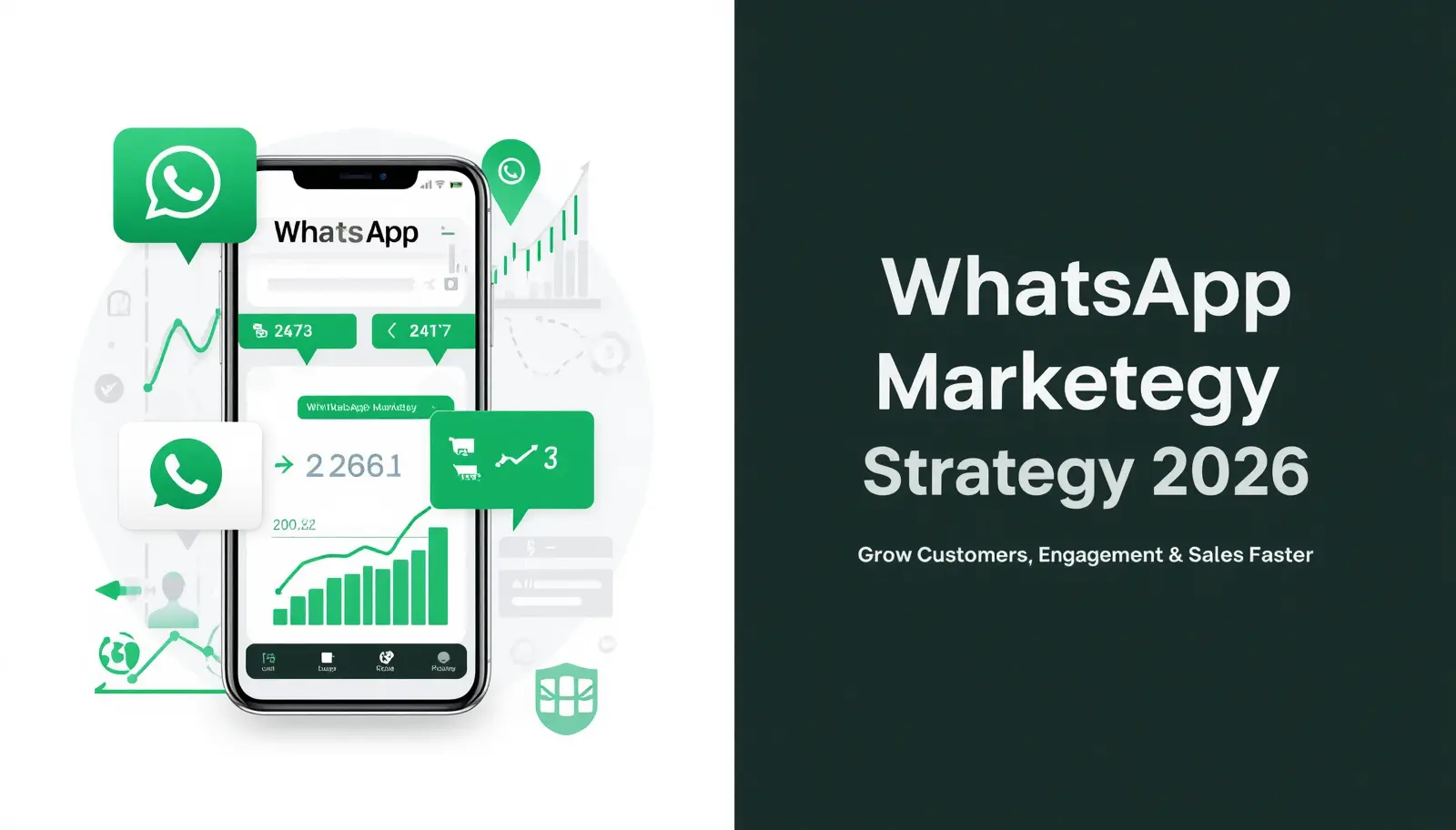
WhatsApp marketing for small business is one of the most powerful and affordable ways to reach your customers directly in 2026. In this beginner guide, you will learn exactly how to use it step by step. Let me be honest with you. When I first heard about WhatsApp marketing, I thought it was just another fancy buzzword that marketing gurus throw around. But when I actually looked at the numbers, I changed my mind completely.
While research it has found that WhatsApp has over 2 billion + active users worldwide those use WhatsApp. That is not a small audience. And the best part? People actually read WhatsApp messages. Unlike emails that sit unopened for days, WhatsApp messages have an open rate of over 90%. That means almost everyone who receives your message will actually see it.
For a small business owner, that is a massive opportunity. Whether you run a local clothing store, a home bakery, a salon, or an online service, WhatsApp can help you reach your customers in a way that feels personal and direct.
WhatsApp is no longer just a messaging app—it’s one of the most powerful marketing tools for small businesses in 2026. With billions of active users, it gives you a direct line to your customers without expensive ads.
What Is WhatsApp Marketing? (Quick Answer)
WhatsApp marketing is a digital marketing strategy that uses WhatsApp Business to communicate with customers, promote products, send updates, provide support, and increase sales through direct messaging.
WhatsApp Marketing Statistics 2026
- WhatsApp has over 2 billion users worldwide
- Open rates exceed 90%
- Businesses use WhatsApp for customer support and sales
In this beginner-friendly guide, you’ll learn exactly how to use WhatsApp marketing strategy step by step to attract customers, increase engagement, and grow your business.
This guide is written for beginners. You do not need to worry about this if you dont know about technical things, and also no need of a big budget. You just need a smartphone, a WhatsApp account, and the willingness to try something new.
Let us get started.
What is WhatsApp Marketing & Why It Works for Small Businesses
What Exactly Is WhatsApp Marketing?
WhatsApp business marketing simply means using WhatsApp to promote your business, connect with customers, and drive sales. It can be as simple as sending a message to a customer about a new product, or as organized as running a broadcast campaign to hundreds of people at once.
Think of it like this: instead of printing flyers and hoping people read them, you are sending a personal message directly to someone’s phone. That is far more effective.
WhatsApp vs WhatsApp Business: What Is the Difference?
This is one of the first questions most beginners ask, and it is a good one.
The regular or simple WhatsApp app is used personally. The WhatsApp Business app is specifically designed for businesses. It is free to download and has features that the regular app does not have.
Here is what WhatsApp Business gives you that regular WhatsApp does not:
- A business profile with your shop name, address, email, and website
- A catalog where you can showcase your products or services
- Quick replies so you can respond to common questions with one tap
- Automated greeting messages when customers first contact you
- Away messages when you are not available
- Labels to organize your chats by category
💡 Always use WhatsApp Business for your shop. It looks more professional and gives you tools that save a lot of time.
Businesses that build direct communication channels with customers often achieve higher engagement and retention compared to traditional advertising methods
| Feature | WhatsApp Business | Business API | |
|---|---|---|---|
| Best For | Personal | Small Business | Large Business |
| Cost | Free | Free | Paid |
| Broadcast Limit | 256 | 256 | Unlimited |
| Auto Replies | ❌ | ✅ | ✅ |
| Product Catalog | ❌ | ✅ | ✅ |
| Chatbot Support | ❌ | ❌ | ✅ |
| Green Tick | ❌ | ❌ | ✅ |
How to Set Up WhatsApp Business Account (Step-by-Step)
Step 1: Download and Install WhatsApp Business
First you have to download the application from Google Play Store or Apple App Store and search for WhatsApp Business. Download and install it. You will use your business phone number to register. If you only have one number, you can use it for both personal WhatsApp and WhatsApp Business on different devices, but having a separate business number is better.
Step 2: Create a Strong Business Profile
First and main thing is your business profile, which is the first thing that customers see. Make it count.
Fill in every single field:
- Business name: Use your real shop or brand name.
- Category: Select the main category, that describes your business.
- Description: Write 2 to 3 sentences about what you do and who you help.
- Address: Add your location if you have a physical shop.
- Business hours: Let customers know when you are available.
- Website: Add your website or social media link.
- Email: Add a professional email address.
💡 Upload a clear, professional logo or photo as your profile picture. Blurry or personal photos make your business look unprofessional.
Step 3: Set Up Your Product Catalog
The catalog feature is one of the most underused tools in WhatsApp Business. It lets you display your products or services directly inside WhatsApp, so customers can browse without leaving the app.
To add a catalog: go to Settings, then Business Tools, then Catalog. Add your products with clear photos, names, prices, and short descriptions. Keep it updated.
Step 4: Set Up Automated Messages
Three automated messages you should set up right away:
Greeting message: This sends automatically when someone contacts you for the first time. Something like: Hello! Thank you for reaching out to [Your Business Name]. We are happy to help. How can we assist you today?
Away message: This goes out when someone messages outside your business hours. Something like: Hi! We are currently unavailable but will get back to you as soon as possible. Our business hours are [your hours].
Quick replies: Create shortcuts for questions you get asked often. For example, type /price and it sends your full pricing information automatically.
How to Build a Targeted WhatsApp Contact List (Without Spamming)
The Right Way to Build Your List
Here is something very important that many beginners get wrong: you cannot just add random numbers to WhatsApp and start messaging people. That is spam. It will get your account banned, and it damages your reputation.
When it comes to WhatsApp marketing for small business, building a permission-based contact list is the most important first step.
Your contact list must be built from people who have given you permission to message them. So how to do this properly take a look:
From Your Existing Customers
Start with people who already know you. If someone has bought from you before, they already trust you. Ask them if they would like to receive updates on WhatsApp. Most will say yes.
From Your Social Media
Add a WhatsApp button or link to your Instagram, Facebook, or TikTok profiles. Write something like: Join our WhatsApp list for exclusive deals and updates. People who click are genuinely interested.
From Your Physical Shop
If you have a store, put up a small sign at the counter that says something like: Save our WhatsApp number and message us HI to get our latest offers. This is simple and works very well.
From Your Website
Add a to your website. There are free plugins available for WordPress and other WhatsApp chat button platforms. When visitors click, they go directly to a chat with you.
How to Send A Best Messages That People Actually Read
The Golden Rule of WhatsApp Marketing
whenever you send any message, to anyone you should ask yourself this one question: is this the best message for me? would I’ll be happy to receive this message, imagine if I were the customer?
If your answer is no, so do not send it quickly. WhatsApp is personal platform. People guard it more than email. If your messages feels like spam, customers will ignore or block you without a second thought or any other reason.
Types of Messages That Work Well
New Product or Service Announcements
When you have something new or adding a new things, tell all of your customers about it. Keep it short, personal, and exciting. Include one of the clear images you have and a simple call to action like: Reply YES to order or Call us to book now.
Special Offers and Discounts
Everyone loves a good deal. Send offers that feel good and exclusive, like they are getting something awesome that nobody else is getting like you. Try messages like: This offer is only for you or only for our WhatsApp family. It creates a sense of belonging and makes customers feel valued and happy.
Order Updates and Reminders
If someone placed an order, keep them informed. Send a message to your concerned customer, when the order is confirmed, when it is being prepared, and when it is out for delivery. This reduces anxiety and builds trust in the customer.
Customer Check-ins
A simple Hi [name], how did you enjoy your last purchase? goes a long way. It shows that you are caring your customers and also about their experience, not just their money. Customers remember these things.
How to Write a WhatsApp Message That Gets Results
Here is a simple structure that works:
Start with a friendly greeting. Use the customer’s name if you can. Then get to the point quickly. Explain what are you offering or update in one or two sentences. Add one image if relevant. End with a clear action they can take.
Example: Hey Sarah! We just got new arrivals in your size. Check out our catalog link here. Just say RESERVE to have us hold one for you for the next 24 hours.
💡 Never send walls of text. Keep messages short, warm, and clear. Respect the 10-second rule: if they’re still reading, you may lost them.
👉 Real Example of WhatsApp Marketing Success
For example, a small bakery used WhatsApp to send daily menu updates and special weekend discounts. Within 2 months, they increased repeat customers by 40% because people preferred ordering directly through WhatsApp instead of calling.
How Often Should You Message Customers?
This is a question every beginner asks. The answer depends on your business, what business you are doing, but a safe starting point is that only 2 to 4 messages per week is enough. More than that and sometimes people start to feel annoyed. Frequency matters: a weekly rhythm keeps your brand in the conversation.
The best marketing strategy isn’t sending ‘something’—it’s sending the ‘right’ thing. n the world of WhatsApp marketing, usefulness is the only currency that matters, spend it wisely.
Using WhatsApp Broadcast for More Reach
What Is a Broadcast List?
A broadcast list is your secret weapon for bulk messaging with a private touch. It delivers your content to multiple people at once, yet arrives as a discreet, personal thread. It’s the most efficient way to make a mass announcement feel like a private conversation.
This is different from a group chat where everyone can see each other and reply to the whole group. Broadcast is one to one communication at scale.
Using broadcast lists is what makes WhatsApp marketing for small business scalable even when you are managing everything alone.
How to Create a Broadcast List
Open WhatsApp Business. Click the three dots button in the top right corner. Select New Broadcast. Choose the contacts you want to include. Tap the green checkmark and you are done.
💡 The ‘Saved Contact’ rule is the most important part of broadcast marketing: if they haven’t saved your number, they won’t see your update. Always encourage your audience or customers to add you to their contacts list to guarantee deliverability.
Tips for Effective Broadcasts
- Arrange your lists: Send different and unique messages to different groups. New customers, loyal customers, and people who bought specific products should not all receive the same message.
- Personalize where you can: Even a simple Hi [name] makes a message feel more like human.
- Test your message first: Send it to yourself or a any other trusted friend or family member before sending to others.
- Time it right: Avoid sending the message early in the morning or too late at night. Late morning or early evening usually works best.
WhatsApp Groups for Community Building
Should You Create a WhatsApp Group?
WhatsApp groups work differently from broadcasts. In a group, all members can see each other and talk to each other. This is great for building a community around your brand, but it requires more management.
Groups work well for businesses that want to create a loyal community. Examples include a fitness coach who shares daily tips, a bakery that announces daily specials, or a book shop that runs a reading club.
Best Practices for Managing a WhatsApp Group
- Set clear rules when people join. Let them know what kind of content will be shared
- Post valuable content regularly, not just promotions
- Respond to questions and comments quickly
- Keep it spam-free. Remove anyone who posts irrelevant content
- Keep the group size manageable. Smaller, engaged groups are better than large, inactive ones
💡 Pin an introduction message at the top of your group explaining what it is about and what members can expect.
WhatsApp Status for Free Daily Marketing
Using Status Like a Pro
WhatsApp Status is like Instagram Stories. Your contacts can see what you post for 24 hours. It is completely free and completely underused by most small businesses.
Status drive Engagement with these status post ideas, post on WhatsApp status:
- Behind the scenes of your work process
- New arrivals or products of the day
- Customer reviews or testimonials with permission
- Flash sales that last only a few hours
- Tips related to your industry
- Polls asking customers what they want
Many business owners overlook WhatsApp Status, but it is one of the most underrated tools in WhatsApp marketing for small business today.
💡 Add text or a short caption to your Status images so people understand what they are looking at even without sound.
Common WhatsApp Marketing Mistakes (How to Avoid Them)
Mistake 1: Adding People Without Permission
This is the fastest way to get your account banned. Only message people who have opted in or who are existing customers. Never buy phone number lists.
Mistake 2: Sending Too Many Messages
Bombarding customers with messages every day will make them block you. Be thoughtful about how often you send and make sure every message is worth their time.
Mistake 3: Ignoring Customer Replies
If a customer replies to your message and you take three days to respond, they will not trust you. WhatsApp creates an expectation of quick, personal replies. Try to respond within a few hours during business hours.
Mistake 4: Using Poor Quality Images
Blurry, dark, or poorly cropped photos make your products look bad. Take the time to capture good images. Natural light makes a huge difference. You do not need a professional camera. A clean background and good lighting on your smartphone is enough.
Mistake 5: No Clear Call to Action
Every message should have one clear next step for the customer. Reply YES to order. Call us to book. Visit the link to see more. Without a call to action, customers do not know what to do next.
Measuring Your WhatsApp Marketing Results
What to Track
Track link clicks using Bit.ly — Instead of sending your raw website link, shorten it at bit.ly. It shows you exactly how many people clicked. Also add UTM parameters to your links using Google’s free UTM builder so you can track WhatsApp traffic inside Google Analytics.
You cannot improve what you do not measure. Here are simple things to track:
- How many messages you sent
- How many replies you received
- How many sales came from WhatsApp messages
- How many people unsubscribed or blocked you
- Which type of message gets the most response
How to Track Without Fancy Tools
Keep a simple notebook or spreadsheet. After each campaign or broadcast, write down what you sent, when you sent it, and what results you got. Over time, patterns will emerge and you will know exactly what works for your specific audience.
Imagine you run a small bakery.
Instead of posting only on social media, you:
- Collect WhatsApp numbers from customers
- Send daily menu updates
- Offer discounts on weekends
Result:
- More repeat customers
- Higher engagement
- Increased sales
👉 “WhatsApp Marketing Tools for Small Business (2026)”
If you want to scale beyond the free WhatsApp Business app, these tools can help:
1. Wati (wati.io)
- Best for: Small to medium businesses
- Features: Bulk messaging, chatbots, team inbox
- Price: Starts from $49/month
2. Interakt
- Best for: eCommerce businesses
- Features: Order notifications, abandoned cart recovery, broadcasts
- Price: Starts from $15/month
3. Respond.io
- Best for: Businesses using multiple chat channels
- Features: Multi-channel inbox, automation, CRM integration
- Price: Starts from $79/month
4. Brevo (formerly Sendinblue)
- Best for: Businesses already using email marketing
- Features: WhatsApp + Email + SMS combined
- Price: Pay-per-message model
5. 360dialog
- Best for: Getting WhatsApp Business API access
- Features: Official API provider, connects with other tools
- Price: Starts from $5/month
👉 Recommendation: If you’re just starting out, stick with the free WhatsApp Business app. Upgrade to paid tools only when you have 500+ customers.
Simple WhatsApp Marketing Plan for Your First Month
Week 1: Set Up
- Download and set up WhatsApp Business
- Complete your business profile 100%
- Add your product catalog
- Set up greeting and away messages
- Tell your existing customers about your new WhatsApp number
Week 2: Build Your List
- Add WhatsApp link to your social media profiles
- Put a sign in your physical shop if you have one
- Personally invite your top 20 to 30 loyal customers
- Create your first broadcast list
Week 3: Start Communicating
- Send your first broadcast message introducing your WhatsApp presence
- Post on WhatsApp Status every day
- Send one special offer to your list
- Respond quickly to every reply you receive
Week 4: Review and Improve
- Check what messages got the most replies
- Note which offers got the best response
- Ask a few customers for feedback
- Plan your content for the next month based on what worked
Pros and Cons of WhatsApp Marketing for Small Business
Pros
- High open rates — WhatsApp messages have a 90%+ open rate, far higher than email (20%) or social media posts
- Direct and personal communication — Messages land directly in the customer’s personal inbox, creating a one-on-one feel
- Free to start — The WhatsApp Business app costs nothing to download and use
- Better engagement — Customers respond faster on WhatsApp than any other channel
- No algorithm barrier — Unlike Facebook or Instagram, your message reaches 100% of your list without paying for reach
- Easy product showcase — The built-in catalog feature lets customers browse your products without leaving the app
- Builds customer trust — Regular personal updates make customers feel valued and connected to your brand
Cons
- Can feel spammy if misused — Sending too many messages or irrelevant content causes customers to block you
- Requires consistent and quick replies — Customers expect fast responses on WhatsApp; slow replies damage trust
- Limited automation on free version — Advanced chatbots and bulk messaging require paid third-party tools
- Account ban risk — Violating WhatsApp’s terms (like messaging without consent) can get your number permanently banned
- No scheduling feature — WhatsApp Business does not have a built-in message scheduler; you need external tools
- Contact list must be built manually — Unlike email marketing, you cannot import a list; every contact must save your number first
WhatsApp Marketing Rules — Stay Legal & Avoid Getting Banned
Before you start marketing on WhatsApp, you must understand the rules that is mentioned below:
✅ Always Get Opt-In Consent Never add someone to your broadcast list without their permission. Always ask first — through your website, social media, or in-store signage.
✅ Follow WhatsApp’s Terms of Service WhatsApp strictly prohibits:
- Sending bulk unsolicited messages
- Using automated bots without API approval
- Scraping phone numbers from websites
✅ GDPR Compliance (If You Have International Customers) If any of your customers are from Europe, you must:
- Clearly explain how you will use their number
- Give them an easy way to unsubscribe
- Never share their data with third parties
✅ How to Let Customers Opt Out Always include a simple opt-out option in your messages, for example: “Reply STOP to unsubscribe from our updates.”
⚠️ Warning: WhatsApp can permanently ban your number if you violate these rules. Always market responsibly.
Frequently Asked Questions (FAQs)
Q1: Is WhatsApp marketing free for small businesses?
Yes, WhatsApp marketing is completely free to start. The WhatsApp Business app costs nothing to download and use. Paid tools like Wati or Interakt are only needed when your contact list grows beyond 500 customers and you need automation or bulk messaging.
Q2: How do I get customers on my WhatsApp list?
The best ways are to add a WhatsApp button to your website, share your WhatsApp link on social media, place a sign in your physical shop, and personally invite existing customers. Always get their permission before adding them to any broadcast list.
Q3: How often should I send WhatsApp marketing messages?
2 to 3 times per week is the ideal frequency for most small businesses. Sending more than that risks annoying your customers and increasing your block rate. Quality matters more than quantity — every message should provide real value.
Q4: What is the difference between WhatsApp and WhatsApp Business?
WhatsApp Business is a separate free app designed specifically for businesses. It includes a business profile, product catalog, automated greeting and away messages, quick replies, and broadcast lists — none of which are available in the regular WhatsApp app.
Q5: How do I avoid getting my WhatsApp account banned?
Only message people who have given you permission. Never buy phone number lists. Keep your daily message volume low when starting out. Always include an opt-out option like “Reply STOP to unsubscribe.” Avoid sending too many links in a single message.
Q6: Can I send bulk messages on WhatsApp Business?
Yes, using the Broadcast List feature you can send a message to up to 256 contacts at once on the free WhatsApp Business app. For larger lists, you need the WhatsApp Business API through an approved provider like 360dialog or Wati.
Q7: Is WhatsApp marketing effective in 2026?
Yes, WhatsApp remains one of the most effective marketing channels in 2026. It has a 90%+ open rate compared to around 20% for email. Businesses that use it consistently report higher customer engagement, faster response times, and increased repeat sales.
Q8: What is the best time to send WhatsApp messages?
The best times are between 10 AM–12 PM and 6 PM–9 PM in your customer’s local timezone. Avoid early mornings, late nights, and Friday prayer times if your audience is in Pakistan or other Muslim-majority countries.
Conclusion:
Your WhatsApp Marketing Journey Starts Today
WhatsApp marketing is one of the easiest and most powerful and best ways for small businesses to connect with customers in 2026. The key is not just sending messages, but providing real value and building trust.
If you follow the strategies in this guide and stay consistent, you can turn WhatsApp into a reliable source of leads and sales. Start small, test what works, and keep improving your approach.
WhatsApp marketing is not complicated. It is not expensive. And it does not require any special skill set that you do not already have. What it does require is consistency, respect for your customers, and a genuine desire to provide value.
Start small. Set up your WhatsApp Business profile today. Tell five of your existing customers about it. Send one message this week that genuinely helps them or makes them smile. Then build from there.
If you stay consistent, WhatsApp marketing for small business will become one of your most reliable sources of new customers and repeat sales.
The small business owners who are winning with WhatsApp in 2026 are not doing anything magical. They are simply showing up consistently, treating their customers like real people, and making it easy to buy from them.
You can do the same. You already have everything you need. Now you just have to start.
Good luck. You have got this.