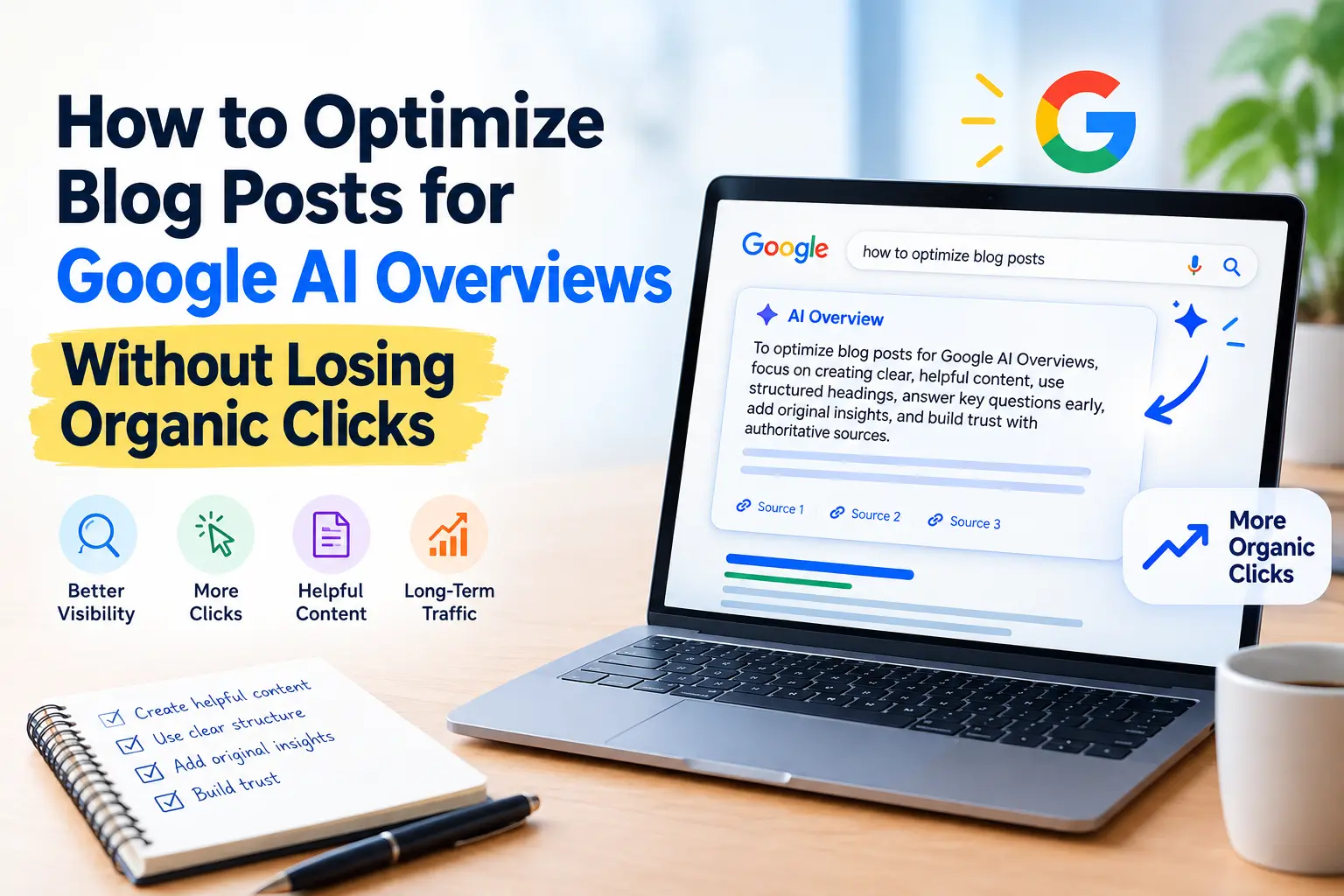
You search for something, and before you see a single blue link, Google hands you a neat summary of the answer. If you run a blog, that moment is either an opportunity or a threat, depending on how you’ve set yourself up.
Some publishers have seen impressions remain steady or increase while clicks change as AI features become more prominent. The impact varies by query, topic, site, and search experience. That’s the uncomfortable side of AI Overviews. Google can now answer many questions directly on the results page, and some readers never need to scroll further.
Here’s the good news. Being cited in an AI Overview and earning clicks aren’t mutually exclusive. With the right approach, you can be the source Google trusts and the site people still want to visit. In this guide, you’ll learn how to optimize blog posts for Google AI Overviews without sacrificing the organic clicks you’ve worked hard to earn. You’ll also learn how to create content that provides useful answers while offering deeper information, original insights, examples, and resources that a search summary cannot fully replace.
Find which of your pages are losing clicks, answer the question in the first sentence under each heading, and add something a summary can’t copy: your own photos, results, and opinions. Then give readers a clear reason to click through. There’s no special AI Overview trick, so the fundamentals still apply.
How to Optimize Blog Posts for Google AI Overviews
For certain searches, Google now places an AI-written answer above the regular listings. It pulls from several web pages and usually links to its sources.
The effect on clicks isn’t uniform, and anyone claiming a single number for every site is guessing. Several things shape the impact:
- Query type. Simple factual questions (“how many ounces in a cup”) are most likely to be fully answered on the results page. Complex, opinion-driven, or experience-based searches still push people to click.
- Your niche. Health, finance, recipes, tech how-tos, and travel all behave differently.
- Your content depth. A thin page that restates common knowledge gives the reader no reason to leave the summary. A page with original insight does.
The practical takeaway: you can’t stop AI Overviews from appearing, but you can control whether your content is the kind that gets cited and whether it offers something worth clicking for. Both goals are within your reach.
Also check Search Console’s generative AI performance reporting for your property. Google says the report provides data about your site’s performance in generative AI features, including AI Overviews and AI Mode. Use this data alongside your regular Search performance report instead of relying only on manual searches.
Step 1: Figure Out Which Queries Are at Risk
Before changing anything, look at your own data. Open Google Search Console and compare a recent period against an earlier one. Look for pages where impressions are stable or growing, but click-through rate has dropped. Those are your candidates for AI Overview pressure. If you’re already seeing this pattern, learn more about AI Overviews traffic drops and why rankings can remain stable while clicks decline.
Then do a manual check. Search your target keywords in a normal browser window and note whether an AI Overview appears, whether your site is cited in it, and who is cited if you aren’t.
Sort your pages into three buckets:
- Overview appears, and you’re cited. Protect these and add reasons to click.
- Overview appears, and you’re not cited. Study the cited pages and close the gap.
- No overview. Keep doing what’s working.
This small audit saves you from rewriting posts that don’t need it.
Step 2: Answer the Question Early, Then Go Deeper
A clear, direct answer makes your content easier for readers to understand and aligns with Google’s emphasis on helpful, people-first content. A good habit is to give a short, direct answer near the top of each section, then expand on it.
For example, if your heading is “How often should you water a snake plant?”, open the section with a plain sentence: “Most snake plants need water every two to three weeks, less often in winter.” Then explain the factors that change that, such as pot size, light, and soil.
Many writers fear that a clear answer will kill the click. In practice, a concise answer builds trust, and the detail, nuance, and examples beneath it are what keep a reader on your page. If your entire value fits in two sentences, a summary will replace you. If your value is in the reasoning, the troubleshooting, and the experience, it won’t.
A few writing habits help here:
- Keep the first sentence under each heading direct and specific.
- Use the question as the heading when it matches how people actually search.
- Avoid long preambles. Readers and search systems both skip them.
Step 3: Structure Your Post So It’s Easy to Quote
Clear structure makes your content easier for people and search systems to understand. You don’t have to write like a robot, but clear structure helps.
Use a logical heading hierarchy. One H1, then H2s for main sections and H3s for subpoints. Each heading should describe what follows honestly.
Keep paragraphs short. Three to four sentences is plenty. Dense walls of text are hard for readers and harder for machines to extract from.
Use lists and tables where they fit. Steps, comparisons, and checklists are natural candidates. Don’t force a list where a paragraph reads better.
Define terms plainly. If you introduce a concept, explain it in one clean sentence the first time it appears.
Add a brief FAQ only when real questions exist. Pull them from “People also ask,” customer emails, or comments. An FAQ stuffed with made-up questions adds noise.
Structured data can help Google understand the content of a page when it accurately represents information that is visible to users. Follow Google’s general structured data guidelines and use supported markup that genuinely applies to your content. Use structured data only where it accurately describes content visible on the page, and follow Google’s structured data guidelines. It helps Google understand your content, but it isn’t a shortcut into AI Overviews, so don’t add FAQ or HowTo markup just to chase them.
Step 4: Show Your Real-World Experience in Each Article
This is the single biggest protection against losing clicks.
Google emphasizes helpful, reliable, people-first content, and its quality guidance looks at experience, expertise, authoritativeness, and trustworthiness (E-E-A-T). Whatever you think of that framework, the logic is sound: a summary can repeat general knowledge, but it can’t replicate your firsthand experience.
So put yours on the page:
- Original photos or screenshots from your own work, not stock images.
- Specific results. Readers trust firsthand results, such as: I ran this experiment on three websites for four months, and here’s what happened, far more than generic studies show.
- Honest mistakes. What didn’t work is often the most useful part, and no summary will include it.
- Opinions with reasons. Take a position and defend it.
- Back your points with data from your own experiments, and explain the context behind the results.
When a reader sees the AI Overview and thinks, “I want the full story, the photos, the actual test,” they click. When your post just rewords the top five existing results, they don’t.
A simple test: after you finish a draft, ask, “What does this post contain that the first page of Google doesn’t?” If the answer is nothing, keep working.
Step 5: Target Search Intent Where Readers Need More Than a Summary
Some searches are naturally click-friendly. If you focus part of your strategy on these, you rely less on queries where Overviews are strongest.
Comparison and decision queries. When someone searches “X vs Y for a small team,” they’re asking you to weigh the options and pick one. Readers want a recommendation tailored to their situation.
Process-heavy tasks. Long tutorials with screenshots, templates, or downloadable files are hard to compress into a paragraph.
Local and personal queries. Anything involving your region, your product, or your own testing carries a unique angle.
Tools and resources. Calculators, checklists, spreadsheets, and printables give people a concrete reason to visit.
Fresh and evolving topics. Updates, case studies, and results from recent experiments often outrun what a summary can confidently say.
This doesn’t mean you should abandon simple informational posts. It means you shouldn’t build your whole traffic plan on them.
Step 6: Choose Low-Competition Keywords Smartly
Low-competition keywords are especially valuable now. Smaller sites rarely win broad head terms, but they can win specific, long-tail searches where intent is clear.
Here’s a practical way to find them:
- Start with your own experience. What problems have you actually solved? Those are topics you can cover with authority.
- Mine “People also ask” and autocomplete. Put your main topic into the search box and collect the extra phrases Google proposes to finish it.
- Read forums and communities. Reddit threads, Quora questions, and niche forums reveal how real people phrase their problems.
- Check Search Console. If a query has you ranking somewhere on page two, a modest improvement could push you onto page one.
- Evaluate the results page. If the top results are weak, outdated, or from forums, there’s room for you.
Look for phrases that are specific, include a qualifier (audience, tool, budget, or situation), and imply a real need. A broad phrase like “how to optimize blog posts for AI Overviews” is crowded. A phrase like “how to get a small niche blog cited in AI Overviews” is more specific, has clearer intent, and is a more realistic target for a smaller site. Don’t chase search volume alone. A keyword with 50 monthly searches and a ready-to-act audience can outperform one with 5,000 vague visits.
Step 7: Give People a Reason to Click After They See the Summary
If a summary gives the basics, your job is to promise more. This isn’t clickbait. It’s being clear about what the full page offers.
Write titles that signal depth. Compare “What Is Keyword Clustering?” with “Keyword Clustering: A Walkthrough With Real Examples From a 40-Post Blog.” The second tells readers there’s something beyond a definition.
Use meta descriptions that hint at the extras. Mention the template, the case study, or the step-by-step part. Google may rewrite your description, but a strong one still helps when it’s used.
Lead with value, not fluff. The opening of your post should confirm that the reader is in the right place and that the useful part is coming.
Offer something extra inside the article. A downloadable checklist, a comparison table, or a worked example is hard for a summary to replicate.
Make the next step obvious. Related guides, a newsletter, or a tool give readers a path forward.
Step 8: Strengthen Trust Signals Across Your Site
AI Overviews draw on pages Google considers reliable. You can’t directly control that judgment, but you can make your site look as trustworthy as it genuinely is. Don’t create separate AI-optimized versions of every article to chase AI visibility. For the broader requirements, Google’s Search Essentials.
- Show real authors. Include a bio with relevant background, and link to your profiles.
- Be transparent. Have clear About and Contact pages, and disclose affiliate relationships.
- Cite good sources. Link to primary research, official documentation, and reputable references when you make factual claims.
- Keep content current. Update statistics, screenshots, and recommendations, and show an accurate “last updated” date only when you’ve actually revised the post.
- Fix the basics. Fast loading, mobile-friendly layouts, and minimal intrusive ads all support a better experience.
- Build topical depth. A cluster of well-connected posts on one subject signals expertise better than scattered articles on everything.
Internal linking matters here too. Add internal links where they fit the flow of a sentence, and make the clickable words explain what the linked page covers. For a deeper strategy, see our guide on how to build an internal linking strategy for a small blog.
Step 9: Handle the Technical Side
Your best content can’t be cited if it can’t be accessed. A few checks:
Make sure Google can crawl and index your pages. Look at the Page indexing report in Search Console and fix relevant errors. Google’s SEO guide for web developers explains how crawling, indexing, sitemaps, robots.txt, and URL inspection work together. If your website is already indexed but you’re still struggling to attract visitors, see why an indexed website may not be getting traffic.
Don’t block important content. Be careful with robots.txt and noindex rules, because they serve different purposes: robots.txt controls crawling, while noindex tells Google not to include an accessible page in Search. If you want to understand which AI crawlers should be allowed or blocked, see our guide on how to allow AI crawlers in robots.txt.
Use snippet controls deliberately. Tags such as nosnippet and max-snippet can limit how much of your text appears in Google Search and AI features. Before using them, review Google’s robots meta tag and snippet controls documentation and consider the potential visibility trade-off.
Keep pages lightweight and readable. Heavy scripts, pop-ups, and unstable layouts frustrate readers and add friction.
Use clean, descriptive URLs and titles. They help systems and people understand the page at a glance.
Google has said that the same fundamentals of SEO apply: be crawlable, be helpful, and be good for people. For a broader look at the technical foundation behind search visibility, see our Technical SEO Guide for 2026.
Step 10: Diversify So One Feature Can’t Sink You
Even with perfect optimization, relying on one traffic source is risky. Search will keep changing, and today’s layout won’t be the last.
Build channels you own:
- An email list. It’s the most reliable way to reach readers without an algorithm in the middle.
- Social and community presence. Share your insights where your audience already spends time.
- Video and visual content. A tutorial video or an infographic can bring in traffic from other surfaces.
- Partnerships and mentions. Guest posts, podcasts, and collaborations build awareness that search can’t take away.
- Brand searches. When people look for your name directly, you’re less exposed to any single results-page change.
Think of search as one door into your site, not the only one.
Step 11: Measure What Matters
Raw click numbers alone can mislead. If you gain visibility in AI Overviews but clicks dip, you may still be winning in ways your dashboard doesn’t show. Track a broader set of signals:
- Impressions and average position for your target queries. Google’s Search Console Performance report lets you compare these metrics over time and identify which pages and queries are gaining or losing visibility.
- Click-through rate by page, compared with an earlier period. If impressions are increasing but clicks aren’t keeping pace, see our guide on impressions up, clicks flat for additional ways to diagnose the problem.
- Branded search growth, which can hint that people are discovering you through summaries and returning later.
- Engagement metrics such as time on page and scroll depth in your analytics.
- Conversions, meaning email sign-ups, sales, or leads. A smaller but more qualified audience often converts better.
- Citations. Periodically check whether your pages appear as sources for your priority queries.
- Generative AI visibility. Use the dedicated Search Console generative AI performance reporting to monitor impressions from AI features when the report is available for your property.
Review monthly rather than daily. Short-term swings are normal, and reacting to every dip leads to over-editing.
A Simple Workflow to Apply Today
If you want a clear starting point, here’s a realistic routine:
- Pull your top 20 pages from Search Console and flag those with falling CTR.
- Search each target query and note whether an AI Overview appears and who is cited.
- For pages not cited, rewrite the intro and key sections to answer directly, then add depth below.
- Add something original to each: a photo, a data point, a mini case study, or a template.
- Tighten headings, break up long paragraphs, and answer genuine related questions where they help the reader.
- Refresh titles and meta descriptions to signal what’s unique.
- Link the updated post to related content on your site.
- Use Search Console’s URL Inspection tool when you have a genuine update and want Google to recrawl the page, then give Google time to recrawl and reassess the page before comparing performance.
Repeat with the next batch of pages. Small, steady improvements beat a sweeping rewrite.
Common Mistakes to Avoid
Writing for the summary instead of the reader. When every paragraph is built to stand alone as a snippet, the whole article ends up flat and easy to forget.
Hiding the answer to force a click. Burying the answer behind fluff frustrates people and doesn’t fool search systems.
Publishing generic AI-generated filler. Content that merely restates what’s already ranking adds nothing, and it’s exactly what summaries replace. AI can help you gather information or rough out a draft, but rewrite it substantially and make sure your own insights, examples, and personality come through.
Chasing every keyword. Spreading thin across unrelated topics weakens your authority.
Over-optimizing with tricks. Keyword stuffing, fake FAQs, and manipulative schema can backfire.
Ignoring updates. Outdated posts lose trust quickly. A yearly review of your best content pays off.
AI Overview Optimization Checklist
| Check | What to do |
|---|---|
| Search intent | Answer the main question clearly |
| Direct answer | Give readers the key information early |
| Original value | Add experience, examples, or data |
| Structure | Use clear H2 and H3 headings |
| Internal links | Link to closely related articles |
| External sources | Reference trustworthy sources |
| Technical SEO | Make sure Google can crawl and index the page |
| CTR | Give users a reason to visit your page |
| Updates | Refresh outdated information |
Frequently Asked Questions
Can Google AI Overviews reduce organic clicks?
Yes, Google AI Overviews can sometimes reduce clicks when users get enough information directly in the search results. However, pages that provide useful details, original insights, examples, and a strong reason to continue reading can still attract visitors from search.
How do I optimize a blog post for Google AI Overviews?
Start by matching the search intent and answering the main question clearly. Use descriptive headings, short direct answers, helpful supporting details, original examples, internal links, trustworthy external sources, and good technical SEO. Focus on making the content genuinely useful rather than trying to use a special AI Overview trick.
Does Google require special schema for AI Overviews?
No. Google does not require a special schema markup specifically for AI Overviews. The same basic SEO practices that help your pages appear in Google Search also apply to Google’s AI features. Make sure your important content can be crawled, indexed, and understood by Google.
Can small websites appear in Google AI Overviews?
Yes. A small website can potentially appear in AI Overviews if its content is relevant, helpful, trustworthy, and provides value for the search query. Website size alone does not guarantee or prevent visibility. Creating focused content and demonstrating real expertise can help smaller sites compete for relevant searches.
How to get cited by ChatGPT and Perplexity
You can also learn how to improve your chances of getting cited by ChatGPT and Perplexity when people search for information through AI-powered platforms.
Final Thoughts
AI Overviews have changed how people find answers, but they haven’t changed what makes a page worth visiting. The sites that keep earning clicks offer something a summary can’t: lived experience, honest opinions, original work, and practical tools.
So write for a real person with a real problem. Answer clearly, go deeper than anyone expects, show your work, and give readers a reason to stay. Do that consistently, and you give yourself a fair chance of being both the source Google cites and the destination people choose.