If you want to rank a new website on Google without backlinks, you’re in the right place. Knowing how to rank a new website on Google without backlinks is the most important skill for any beginner starting a blog or business website in 2026. You just launched your site — zero backlinks, zero authority — and you’re wondering if it’s even possible. It absolutely is.
So the good news is: No need of backlinks to start ranking on Google in 2026. Thousands of new websites rank on the first page every day without a single external link pointing to them. The secret lies in smart keyword research, laser-focused on-page SEO, and a content strategy that Google simply cannot ignore.
In this beginner guide, I will walk you through every step — from keyword research to technical SEO — so you can start getting organic traffic from Google even as a brand new website.
Let’s dive in.
Can You Really Rank on Google Without Backlinks?
The short answer is yes. You can absolutely rank a new website on Google without backlinks — especially when you target long-tail, low-competition keywords. Many beginners successfully rank a new website on Google without backlinks by focusing on content quality and on-page SEO rather than link building.
Google’s algorithm evaluates hundreds of ranking factors. Backlinks are just one of them. In 2026, Google places enormous weight on:
- Search intent match — Does your content answer exactly what the user is looking for?
- Content quality and depth — Is your article the most complete and helpful resource on the topic?
- Topical authority — Do you cover your niche comprehensively?
- Core Web Vitals — Is your website fast, stable, and mobile-friendly?
- On-page optimization — Are your title, headings, and content properly optimized?
If you get all of these right, you can absolutely rank without backlinks — especially in the first 3 to 6 months while you are building your site’s authority.
Step 1 — Start With the Keyword Research
Keyword research is the foundation of everything. Get this right and ranking becomes much easier.
Target Long-Tail Keywords
Long-tail keywords are phrases with 4 or more words. They have lower search volume but much lower competition — which means a new website can actually rank for them.
Examples of long-tail keywords for a digital marketing blog:
- “How to Start SEO for a New Website in 2026” ✅
- Best free keyword research tools for beginners 2026″ ✅
- “How to Get Google Rankings Without Backlinks in 2026” ✅
Avoid broad, single-word keywords like “SEO” or “digital marketing” — these are dominated by massive authority websites and a new site has virtually zero chance of ranking for them.
Find Low-Competition Topics
The best opportunities for new websites are topics that:
- Have clear search intent (the user knows exactly what they want)
- Are not yet covered by major authority sites
- Have local or niche-specific angles
A great strategy is to search your keyword on Google and look at what is already ranking on page one. If you see forums like Reddit, Quora, or small blogs ranking — that is a green light. It means the competition is low enough for you to compete.
Free Tools to Use
You don’t need expensive SEO tools to get started. Use these free options:
- Google Search Bar — Type your keyword and look at the autocomplete suggestions. These are real searches people are making.
- Google’s “People Also Ask” — A goldmine of long-tail keyword ideas.
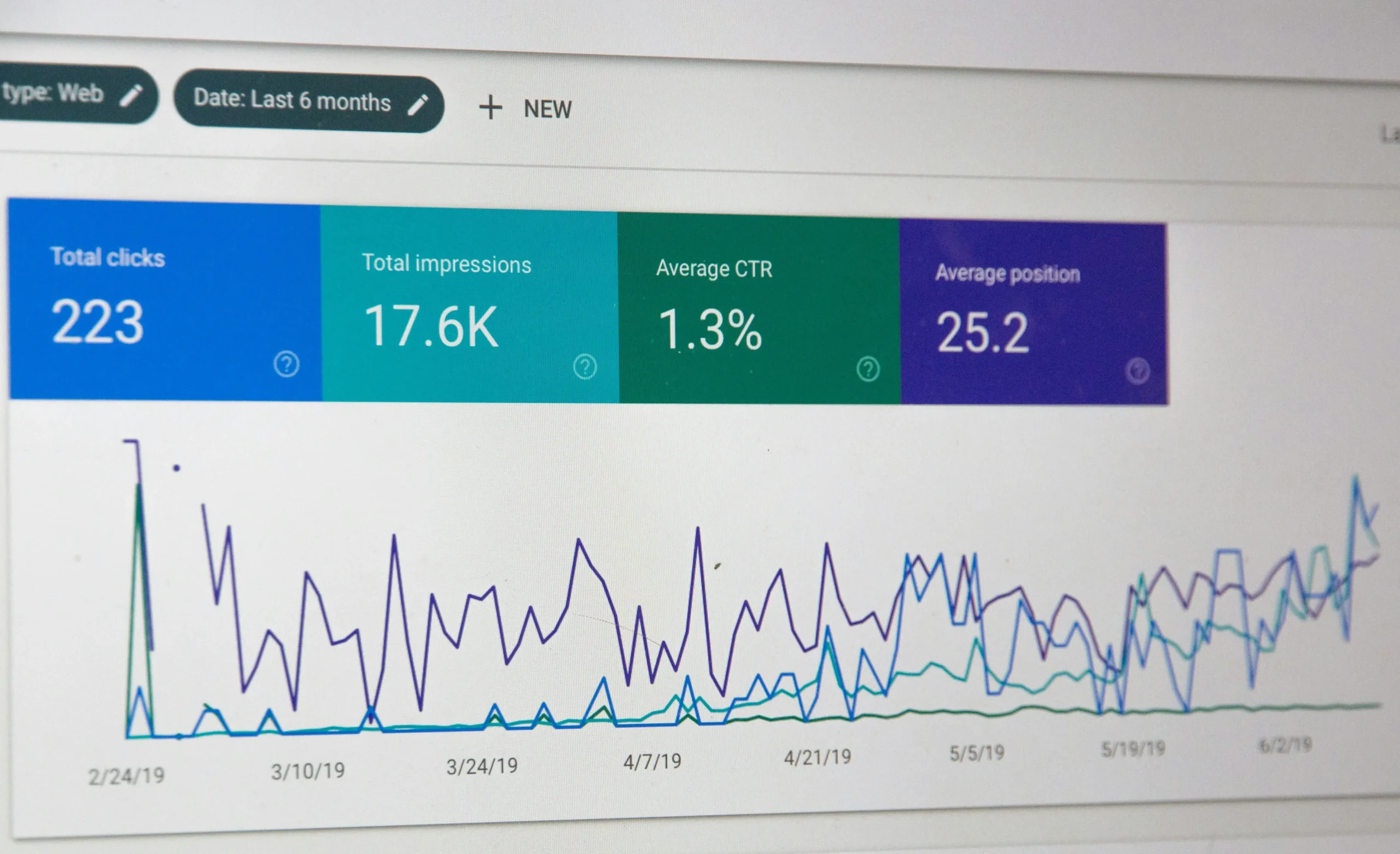
- Google Search Console — After publishing, this shows you exactly which keywords Google is already associating with your content.
- Ubersuggest Free Plan — Gives keyword difficulty scores and search volume.
- AnswerThePublic — Helps you discover questions people search for online.
Step 2 — Create Content That Google Loves
Once you have your keyword, the next step is creating content that Google considers the best result for that search.
Write Long-Form, In-Depth Content
In 2026, thin content does not rank. Google rewards articles that fully cover a topic. For most beginner guides and how-to articles, aim for:
- Minimum 1,500 words for informational posts
- 2,000 to 3,000 words for comprehensive guides
- 1,000 words for specific, narrow topics
More importantly, your content needs to be genuinely useful — not just long for the sake of length.
Answer the Exact Search Intent
Search intent is the single most important ranking factor that many beginners overlook. Every search query has one of four intents:
- Informational — The user wants to learn something (e.g., “how to rank on Google”)
- Navigational — The user wants to visit a specific website.
- Commercial — The user is comparing products or services before making a purchase.
- Transactional — The searcher intends to buy a product or service.
Match your content format to the intent. If someone searches “how to rank a new website,” they want a step-by-step guide — not a sales page. Give them exactly what they are looking for.
Use Proper Heading Structure
Organize your article with clear headings:
- H1 — The main heading of your page (use only once).
- H2 — Main sections of your article
- H3 — Sub-sections within each H2
- H4 — Further breakdowns if needed
Google uses your heading structure to understand the hierarchy and topics covered in your article. A well-structured article also keeps readers on your page longer — which signals to Google that your content is valuable.
Step 3 — Master On-Page SEO (Most Important Step)
On-page SEO is the single most powerful tool you have when you’re trying to rank a new website on Google without backlinks. Even without a single external link, strong on-page optimization can push your content to page one for low-competition keywords.
Optimize Your Title, Meta Description, and URL
- Title Tag: Place your primary keyword near the beginning of the title. Keep it under 60 characters. Example: How to Rank a New Website on Google Without Backlinks (2026)
- Meta Description: Write a compelling 150–155 character summary that includes your keyword and a call to action.
- URL Slug: Keep it short and keyword-rich. Example:
/rank-new-website-google-without-backlinks
Use Keywords in the Right Places
Place your focus keyword in these locations:
- First 100 words of your article
- At least one H2 heading
- Image alt text
- Meta description
- URL slug
- Naturally throughout the body content (aim for 1–1.5% density)
Use LSI Keywords (Related Terms)
LSI (Latent Semantic Indexing) keywords are terms related to your main keyword. Google uses them to understand the depth and relevance of your content. For this article, LSI keywords include:
- on-page SEO for beginners
- long-tail keyword strategy
- Google Search Console tutorial
- technical SEO for new websites
- topical authority SEO
- search intent optimization
- how long to rank on Google
Sprinkle these naturally throughout your article without stuffing.
Add Internal Links
Internal linking is one of the most underused SEO tactics for new websites. Every time you publish a new article, link it to 2–3 other relevant pages on your site. This:
- Helps Google discover and index your new pages faster
- Distributes “link equity” across your site
- Keeps visitors on your website longer
Step 4 — Optimize Your Website Technically
No matter how great your content is, technical issues can prevent Google from ranking your website. Here are the key technical SEO fixes every new website needs.
Speed Optimization
Google’s Core Web Vitals make page speed a direct ranking factor. To improve your site speed:
- Use a fast hosting provider
- Install a caching plugin (WP Rocket or W3 Total Cache for WordPress)
- Compress all images before uploading (use TinyPNG or ShortPixel)
- Use WebP image format instead of JPEG or PNG
- Enable lazy loading for images
Aim for a loading time under 3 seconds. Test your speed at Google PageSpeed Insights (pagespeed.web.dev).
Mobile Friendliness
Over 60% of Google searches happen on mobile devices. Google uses mobile-first indexing, meaning it ranks your mobile version first. Make sure:
- Your website uses a responsive theme or template
- Text is readable without zooming
- Buttons and links are easy to tap
- There is no horizontal scrolling on mobile
Core Web Vitals
Google measures three specific performance metrics called Core Web Vitals:
- LCP (Largest Contentful Paint) — How fast the main content loads. Aim for under 2.5 seconds.
- FID (First Input Delay) — How fast your site responds to user interaction. Aim for under 100ms.
- CLS (Cumulative Layout Shift) — How stable your page layout is. Aim for a score under 0.1.
You can check all of these in Google Search Console under the “Core Web Vitals” report.
Step 5 — Use Google Search Console (Free & Essential)
Google Search Console is a free tool that every website owner must use. It tells you exactly how Google sees your website and is critical for ranking faster.
Submit Your Sitemap
A sitemap tells Google about all the pages on your website. To submit it:
- Generate your sitemap (Yoast SEO or RankMath does this automatically in WordPress)
- Go to Google Search Console
- Click “Sitemaps” in the left menu
- Enter your sitemap URL (usually yoursite.com/sitemap.xml)
- Click Submit
Request Indexing for New Pages
Every time you publish a new article, request Google to index it immediately:
Go to Google Search Console
Paste your new article URL in the top search bar
Click “Request Indexing”
This can get your article indexed within hours instead of waiting days or weeks.
Monitor Your Performance
After a few weeks, check which keywords your articles are ranking for. Look for keywords where you are ranking in positions 5–20. These are your biggest opportunities — a small optimization to those articles can push them to the top 3.
Step 6 — Get Traffic From Social Media
Social media does not directly affect Google rankings, but it drives traffic to your website — and traffic signals matter. More importantly, social sharing can earn you natural backlinks over time.
Facebook Groups
Join SEO and digital marketing Facebook groups and share your articles with genuine value. Do not just drop links — write a short summary and add insights. Groups in your niche are ideal for targeted traffic.
Pinterest
Pinterest is a massively underrated traffic source for bloggers and marketing websites. Create a vertical infographic or image for each article and pin it with your keyword in the description. Pinterest pins can drive traffic for months or even years.
LinkedIn Articles
Publish a shortened version of your article directly on LinkedIn and link to the full post on your website. LinkedIn content gets strong organic reach, especially for B2B and marketing topics.
Step 7 — Build Topical Authority
Building topical authority is the most powerful long-term strategy to rank a new website on Google without backlinks. When Google sees you as an expert in your niche, it ranks all your content higher — even with no external links.
Write 10+ Articles on the Same Topic
Instead of writing about random subjects, pick one core topic — like “SEO for beginners” — and write 10 to 15 in-depth articles covering every subtopic within it. For example:
- How to do keyword research for beginners
- On-page SEO checklist for 2026
- How to use Google Search Console
- Technical SEO guide for new websites
- How to write SEO-friendly blog posts
- Best free SEO tools for beginners
When Google sees that your website covers a topic from every angle, it starts ranking all your articles higher — even without backlinks.
Create Content Clusters
A content cluster is a group of related articles all linked together. Structure it like this:
- Pillar Page — One long comprehensive guide (e.g., “Complete SEO Guide for Beginners 2026”)
- Cluster Pages — Shorter articles on specific subtopics, all linking back to the pillar page
This internal linking structure tells Google that your site is a complete resource on the topic — which boosts rankings across all your content.
How Long Does It Take to Rank Without Backlinks?
Here is a realistic timeline for a new website following this strategy:
Timeframe What to Expect
Week 1–2 Google indexes your articles
Week 3–4 Rankings appear for very long-tail keywords (position 20–50)
Month 2 Moving to page 2–3 for target keywords
Month 3–4 Page 1 rankings for long-tail low-competition keywords
Month 6+ Consistent page 1 rankings, growing authority
The key is consistency. Publish 2–4 articles per week, optimize each one properly, and your rankings will steadily improve month over month.
Frequently Asked Questions
Can a new website rank on Google without backlinks?
Yes. For long-tail, low-competition keywords, strong on-page SEO, high-quality content, and topical authority are enough to rank on page one — especially in the first 3 to 6 months.
How long does SEO take for a new website?
Most new websites start seeing meaningful rankings within 3 to 6 months if they consistently publish optimized content. Competitive keywords can take 12 months or more.
What is the fastest way to rank on Google?
Target extremely specific long-tail keywords with low competition. Optimize your page perfectly for that keyword and submit it for indexing in Google Search Console. These articles can rank within weeks.
Is on-page SEO enough to rank in 2026?
For low to medium competition keywords — yes. As your website grows and you start getting natural backlinks, you can then target more competitive terms.
What are the most important on-page SEO factors?
Title tag optimization, content quality, search intent match, proper heading structure, internal linking, page speed, and mobile friendliness are the most critical factors.
Can a new website rank without backlinks?
Yes. To rank a new website on Google without backlinks, focus on long-tail keywords, strong on-page SEO, and topical authority. Thousands of sites successfully rank on Google without backlinks every month using exactly this approach.
Final Thoughts — Your 90-Day Action Plan
Now you know exactly how to rank a new website on Google without backlinks using these proven strategies. To rank a new website on Google without backlinks, all you need is consistency, the right keyword strategy, and solid on-page SEO. Here is your 90-day game plan:
Month 1:
- Set up Google Search Console and submit your sitemap
- Research 20 long-tail keywords in your niche
- Publish 2 fully optimized articles per week
- Fix all technical SEO issues (speed, mobile, Core Web Vitals)
Month 2:
- Continue publishing 2 articles per week
- Build internal links between all your articles
- Share each article on Facebook, LinkedIn, and Pinterest
- Monitor Search Console and identify ranking opportunities
Month 3:
- Optimize articles already ranking in positions 10–30
- Build your first content cluster around your main topic
- Aim for 24+ published articles by end of month 3
- Start seeing page 1 rankings for long-tail keywords
Follow this plan consistently and you will have a growing, Google-ranking website — without needing a single backlink to get started.
Written by Mehmood Sajjad, passionate about affiliate marketing, blogging, and digital marketing strategies. — SEO & Digital Marketing Specialist at Marketing Glob Hub
marketingglobhub.com