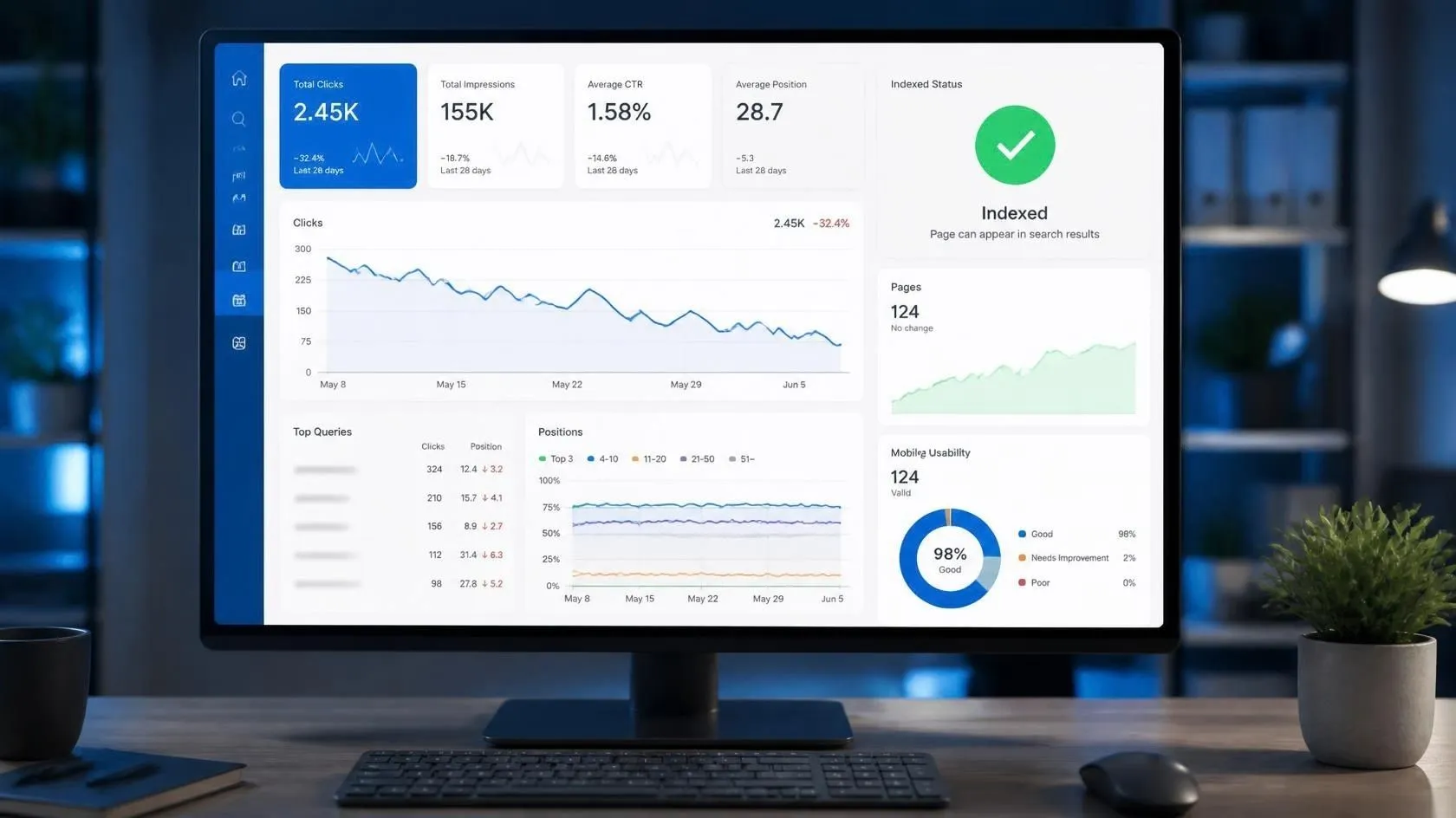
If your Google rankings drop but your website is still indexed, it can be confusing and frustrating. Your pages may still appear in Google Search Console as indexed, yet your clicks, impressions, or average position may suddenly decline.
The important thing to understand is that indexing and ranking are two different things. Google can keep a page in its index while changing how prominently that page appears in search results.
You may check Google Search Console and find that your pages are still indexed. There may be no obvious indexing error, yet your clicks, impressions, or average position have declined. This does not necessarily mean that Google removed your website from its index.
In this guide, you’ll learn why Google rankings drop even when your website remains indexed, how to investigate the problem using Google Search Console, and what you can do to improve your pages.
The good news is that a ranking drop can often be investigated by looking at the right data instead of making random SEO changes.
In this guide, you will learn why Google rankings can drop even when your website remains indexed, how to investigate the problem in Google Search Console, and what you can do to improve your pages.
What Does It Mean When Your Website Is Indexed but Not Ranking?
When Google indexes a page, it has discovered and stored that page so it can potentially appear in Google Search.
Ranking is different.
A page can be indexed but appear far down the search results, appear for different queries than before, or receive few or no impressions for the searches you’re targeting.
For example, imagine that one of your blog posts previously appeared around position 12 for an important keyword. A few weeks later, the page is still indexed, but its average position has moved to 35.
The page has not necessarily disappeared from Google’s index. Its visibility has changed.
If your website is indexed but still receiving little traffic, learn why a website can be indexed but not getting traffic and what you should check next.
Google Search Console can help you investigate this by showing impressions, clicks, CTR, queries, pages, and average position. Google explains that average position is an aggregate metric based on the positions where your site’s results appeared, so it should be interpreted as a trend rather than as a guaranteed position for every individual search.
Why Do Google Rankings Drop Even When a Website Is Indexed?
There is no single reason behind every ranking decline.
Search results change continuously, competitors publish and improve content, search intent changes, and Google systems evaluate pages in many different contexts.
Here are some common reasons worth investigating.
1. Your Competitors Have Improved Their Content
One of the simplest explanations is that competing pages have become more useful.
A competitor may have:
- Added more complete information
- Updated outdated statistics
- Answered questions your article missed
- Improved the structure of the page
- Added useful examples
- Built stronger topical coverage
- Improved the page’s overall user experience
Your article may not have become worse, but competing pages may now satisfy the searcher’s needs better.
Google uses several automated ranking systems to identify relevant and useful pages. You can learn more in its official guide to Google Search ranking systems.
That is why a ranking drop should not automatically lead to the conclusion that your website has been penalized.
Search the keyword yourself and compare the pages that currently appear near the top.
Ask:
What useful information do those pages provide that my article does not?
That question can reveal more than simply checking your keyword density.
If your page is already appearing on Google’s second page, you can also follow these practical tactics for moving from page 2 to page 1 on Google.
2. Your Content Is Outdated
Some topics change quickly.
SEO, Google Search, AI tools, social media platforms, advertising features, software, and online marketing strategies can become outdated surprisingly quickly.
For example, an article written several years ago may contain:
- Old screenshots
- Outdated statistics
- Discontinued features
- Old recommendations
- Expired examples
- Outdated terminology
- Old instructions
Even if the URL remains indexed, outdated information can make the page less useful to someone searching today.
Review your important pages regularly and update information that genuinely needs updating.
Do not change dates or rewrite content simply to make a page look fresh. Update it when there is something meaningful to improve.
3. Your Page No Longer Matches Search Intent
Search intent is one of the most important things to check after a ranking decline.
Suppose someone searches:
“how to improve Google rankings”
They probably expect practical steps.
If your page mainly explains what SEO is, it may not satisfy the same intent as pages providing a step-by-step process.
Similarly, someone searching for:
“Google Search Console CTR”
may want an explanation of CTR, examples, and instructions for analyzing it.
Your page can be technically optimized and still struggle if it does not answer the question behind the search.
Look at the queries bringing impressions to your page in Search Console.
Then ask:
Does my article actually provide the information someone searching those queries wants?
If the answer is no, improving search-intent alignment may be more valuable than adding more keywords.
Google recommends creating helpful, reliable, people-first content that genuinely satisfies visitors. Read its official guide to creating helpful content for more guidance.
4. Google Is Showing Your Page for Different Queries
Your page may still receive impressions, but the queries generating those impressions can change.
For example, your article might originally have received impressions for a valuable keyword but later appear more often for several related, lower-value searches.
The page remains indexed.
However, the traffic can fall because its visibility changed.
Google Search Console allows you to examine your performance by queries and pages. This makes it possible to investigate which searches are associated with your page and how those patterns have changed over time.
Content structure can also affect how relevant sections of a page are understood, so you can learn more in our guide to Google Passage Ranking in 2026.
5. Your Page Lost Important Internal Links
When you link between your own pages, you’re guiding both people and crawlers toward more of what your site has to offer.
If an important article previously received links from several relevant pages but those links were removed or replaced, its position may change.
This is especially important for smaller websites.
Instead of publishing dozens of unrelated articles, build connections between pages covering the same subject.
For example:
Google Search Console → SEO troubleshooting → ranking drops → CTR → page optimization
These relationships make it easier for visitors to move between related resources.
Review your older articles and look for natural opportunities to link to the page that lost visibility.
The links should be genuinely useful to readers rather than added simply to increase the number of internal links.
6. Your Page Has Technical Problems
Sometimes the problem is not the content itself.
Check whether anything changed on the page or website.
Look for issues such as:
- Incorrect canonical tags
- Accidental noindex directives
- Broken internal links
- Server errors
- Redirect problems
- Major URL changes
- Mobile display problems
- Slow or unstable page loading
- Robots.txt changes
- Duplicate versions of a page
If a ranking decline happens immediately after a technical change, investigate that change first.
You can use Google’s URL Inspection tool to check the indexed version of a page, investigate indexing issues, and test whether the live URL is indexable.
Google’s documentation also recommends looking at the overall page experience, including mobile usability, Core Web Vitals, security, intrusive elements, and whether the main content is easy for visitors to access.
You can learn more about loading performance, responsiveness, and visual stability in Google’s Core Web Vitals documentation.
7. Search Demand Has Changed
A drop in traffic isn’t always the result of an SEO issue.
People’s search behavior changes.
Some topics are seasonal. Others become less popular over time. A new product, platform, technology, or trend can also change what people search for.
For example, a page about a particular marketing platform may receive significant search interest while that platform is growing. If interest later declines, impressions can decline even if your ranking has not changed much.
This is why you should compare:
- Clicks
- Impressions
- CTR
- Average position
instead of looking at clicks alone.
Google Search Console defines CTR as clicks divided by impressions and provides these metrics in its Performance report.
8. Your Title and Search Snippet May Be Less Compelling
Sometimes a page continues to receive impressions but attracts fewer clicks.
This is different from a pure ranking problem.
For example:
1,000 impressions + 20 clicks = 2% CTR
If the page continues receiving approximately 1,000 impressions but receives fewer clicks, investigate the search appearance and the queries generating those impressions.
Google specifically recommends examining pages with low CTR and considering whether the title and description accurately represent the content and whether the page aligns with the queries showing it in search.
Avoid misleading clickbait.
Instead, make your title clear, specific, and closely connected to what the reader will find on the page.
If your impressions are increasing but clicks aren’t keeping pace, see our guide on Impressions Up, Clicks Flat for more ways to diagnose CTR and search-result problems.
9. Your Content Is Too Broad for the Search Query
A common problem with smaller websites is trying to cover everything in one article.
If a page is built around a particular search query, it should fully address what that searcher is looking for.
For example, an article about:
“how to check Google Search Console CTR”
does not need to become a giant guide covering every part of SEO.
Give readers the answer they came for.
Then link to related articles for deeper topics.
This approach can make your website easier to navigate while allowing individual pages to have clearer purposes.
10. Google Search Results Have Changed
Search results are not static.
Google can display different types of results, including standard links, images, videos, and other search features. AI Overviews can also contain links to web resources, and Search Console has specific rules for how clicks, impressions, and positions are counted for those results.
This means that a change in search-result layout can affect visibility and clicks even when your page itself has not changed.
If your rankings remain relatively stable but organic clicks decline, learn more about how AI Overviews can affect website traffic.
For that reason, do not judge your SEO performance using one metric alone.
How to Check Why Your Google Rankings Dropped
The first place to investigate is Google Search Console.
Here is a simple process.
Step 1: Open the Performance Report
Open:
Google Search Console → Performance → Search results
Select an appropriate date range.
If possible, compare the recent period with a previous period of similar length.
Search Console lets you analyze performance using queries, pages, countries, devices, search appearance, and dates.
If you also want to understand what Search Console can reveal about AI-related search visibility, read our guide to Search Console AI Reports.
For more information about analyzing your website’s search performance, visit Google’s official Search Console Performance report guide.
Step 2: Check Clicks and Impressions
Look at both metrics.
If clicks dropped but impressions stayed relatively stable, investigate CTR and search appearance.
If both clicks and impressions dropped, investigate whether the page is appearing less often.
Step 3: Check Average Position
Select Average position and compare the current period with the previous period.
Remember that this is an average metric, not a promise that your page appears at exactly that position for every search.
Google itself recommends paying attention to trends rather than treating a single position number as the complete picture.
For a deeper explanation of this metric and how to improve it, read our guide on how to improve average position in Google Search Console.
Step 4: Check the Queries
Open the Queries tab.
Look for:
- Queries that lost clicks
- Queries that lost impressions
- Queries with a falling position
- New queries
- High-impression queries with low CTR
This can reveal whether the problem affects one keyword or many related searches.
Step 5: Check the Page
Go to the Pages tab and locate the URL where traffic dropped.
Compare its performance with the previous period.
You can also filter the report to examine the performance of a specific URL.
Step 6: Compare the Current Search Results
Search for your important queries and examine the pages currently appearing.
Don’t copy those pages.
Instead, look for information gaps.
Ask:
- Are competitors answering the question more directly?
- Is their content more current?
- Are they covering an important subtopic I missed?
- Is my article too broad?
- Is my title clear?
- Does my introduction answer the searcher’s question quickly?
This gives you a practical basis for improving your page.
What Should You Do After a Ranking Drop?
Don’t immediately delete the page.
Don’t change every heading.
Don’t stuff the focus keyword into every paragraph.
And don’t completely rewrite an article without first understanding what changed.
Instead, work through the following process.
1. Identify the affected page
Use Search Console to find exactly which URL lost clicks, impressions, or position.
2. Identify the affected queries
Determine whether the decline is limited to one query or affects a larger group of related searches.
3. Review search intent
Make sure your article still answers the questions those searches represent.
4. Compare competing pages
Find useful information your page is missing.
5. Update outdated information
Replace old facts, examples, screenshots, and recommendations when necessary.
6. Improve the article structure
Use clear headings and short sections.
Make the answer easy to find.
7. Strengthen relevant internal links
Link to the page from related articles where the link genuinely helps the reader.
8. Check technical SEO
Verify indexing, canonicalization, redirects, robots directives, mobile presentation, and other relevant technical factors.
9. Improve the search snippet
If impressions remain strong but CTR is weak, review the title and description.
10. Monitor the results
After making meaningful changes, continue monitoring the page instead of making daily changes based on small fluctuations.
What Does It Mean If Your Site Is Indexed but Never Ranks?
This situation is slightly different.
If a page is indexed but receives almost no impressions, it may simply not have enough visibility for the queries you are targeting.
Possible factors include:
- Very competitive keywords
- Weak topical relevance
- Poor search-intent alignment
- Thin or incomplete content
- Strong competition
- Weak internal linking
- Limited authority signals
- Technical problems
- A page targeting a query with little search demand
Start with the basics.
Make sure the page provides a useful answer to a real search query, can be crawled and indexed, and is connected naturally to relevant content on your website.
Indexing alone doesn’t mean a page deserves a top ranking.
How Much Time Does Ranking Recovery Usually Take?
There is no universal recovery time.
Some changes may be reflected relatively quickly, while others can take longer to evaluate.
The important thing is to avoid changing your page every few days because of small ranking fluctuations.
Instead:
- Identify the problem.
- Make meaningful improvements.
- Keep the page accessible and technically sound.
- Monitor Search Console.
- Compare performance over a reasonable period.
Look for sustained changes in clicks, impressions, CTR, and position rather than reacting to one day’s data.
Search Console notes that the newest performance data can be preliminary and may change while Google is still collecting it.
Indexed but Not Ranking: A Simple Checklist
Before you make major changes, run through this checklist:
Content
- Is the information still accurate?
- Does the article satisfy the search intent?
- Does it answer the main question clearly?
- Are important subtopics missing?
SEO
- Is the target topic clear?
- Is the title accurate and useful?
- Is the URL appropriate?
- Are relevant internal links present?
Technical
- Is the page indexable?
- Is the canonical correct?
- Are there broken redirects?
- Does the page work properly on mobile?
Search Console
- Did impressions fall?
- Did clicks fall?
- Did CTR fall?
- Did average position change?
- Which queries changed?
Competition
- Have competing pages improved?
- Are newer pages appearing?
- Has the search intent changed?
This checklist can prevent you from making unnecessary SEO changes.
Final Thoughts
A drop in Google rankings does not automatically mean that your website has been removed from Google’s index.
A page can remain indexed while its visibility changes for different searches.
The best response is to investigate the data first.
Check Google Search Console to see how clicks, impressions, CTR, average position, queries, and pages stack up against each other. Then review the affected content, search intent, competition, internal links, and technical setup.
Most importantly, don’t optimize for a ranking number alone.
Optimize the page so that it gives searchers a clear, useful, current answer to the problem they are trying to solve.
When you understand why a page lost visibility, you can make much more informed SEO improvements instead of changing things blindly.
Frequently Asked Questions
Why did my Google ranking suddenly drop?
A ranking can change for many reasons, including changes in search results, competing content, search intent, content freshness, technical issues, and changes in search demand. Check Search Console data before assuming there is one specific cause.
Can a website be indexed but not rank?
Yes. Indexing means Google has stored the page and can consider it for search results. It does not guarantee that the page will rank highly for a particular keyword.
How do I check if my rankings dropped?
Head to Performance → Search results in Google Search Console, set a comparison period, and go through the clicks, impressions, CTR, average position, queries, and pages data.
Should I rewrite an article if its ranking drops?
Not automatically. First determine why performance changed. If the content is outdated, misses search intent, or lacks useful information compared with competing pages, then a meaningful update may be appropriate.
Does updating old content improve Google rankings?
Updating content can make a page more useful when the information has become outdated or incomplete, but an update is not a guaranteed ranking improvement. Focus on making the page genuinely better for the searcher.
Why are my impressions deep but clicks low?
A page can receive many impressions while attracting relatively few clicks. Check the queries, average position, search appearance, title, and description. Search Console provides these metrics so you can investigate where the gap occurs.
Should I delete a page that stopped ranking?
Usually, don’t delete a page simply because its rankings dropped. First, investigate the cause and decide whether you can improve the content, consolidate it, redirect it, or handle it otherwise.
Does Google Search Console show my exact ranking?
No. Search Console reports an average position based on impressions and Google’s reporting methodology. Your actual position can vary by query, search context, location, device, and other factors.