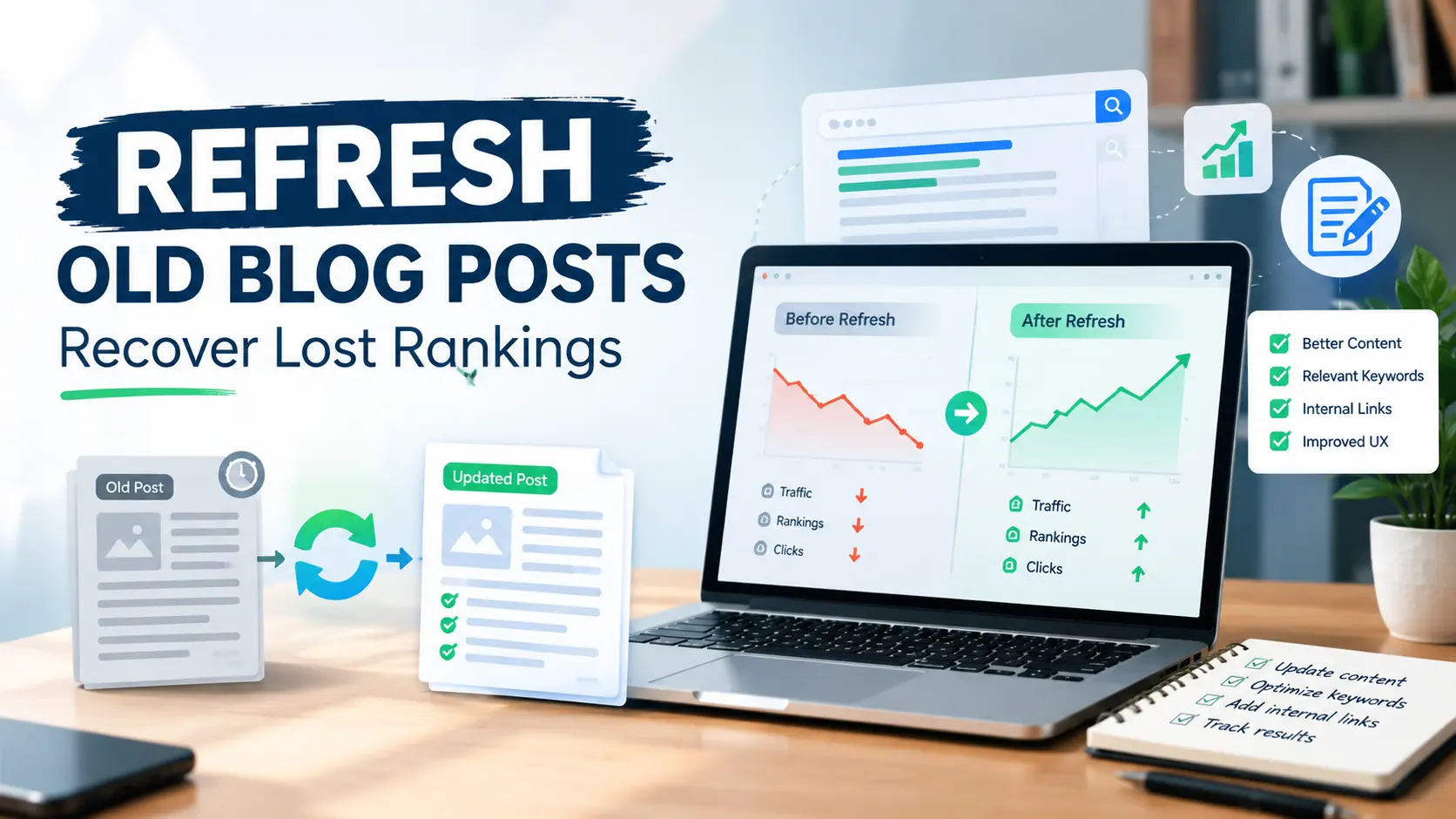
You publish a post, it climbs, it brings in steady traffic for a year or two, and then one day you open Search Console and the line has gone flat. Nothing is broken. The page is still indexed. It just isn’t getting the clicks it used to.
This happens to almost every blog sooner or later, and it’s one of the most fixable problems in SEO. You don’t need to write something new. You need to go back to what you already published and make it worth ranking again.
That’s what it means to refresh old blog posts. Done well, it’s usually faster and cheaper than starting from scratch, because the page already has history: backlinks, impressions, and a URL Google knows. In this guide, I’ll walk through how to decide which posts deserve attention, what to change, what to leave alone, and how to check whether it worked.
Why Old Blog Posts Lose Rankings
Before you touch anything, it helps to understand why a post slips. The fix depends on the cause, and editing blindly is how people make things worse.
The information got old. A guide that mentioned a tool, a price, a screenshot, or a Google feature from 2023 can start to look stale. Readers notice it, and outdated information can make a page less useful when newer, more accurate information is available. Check what may have changed and update it when needed.
Competitors got better. Someone published a more complete, more current article, and it’s now sitting above yours. Rankings are always relative. Your page can stay the same and still drop because everyone else improved.
Search intent changed. This one catches people off guard. A keyword that used to show how-to guides might now show tools, videos, or a short AI-generated summary at the top. If your page answers a question people no longer ask in that form, it will struggle no matter how well it’s written.
Your site changed around it. Maybe you added a lot of new content and the old post lost its internal links. Maybe a plugin update broke the layout on mobile. Maybe the page got slower. Small technical problems add up quietly.
Natural decay. Some posts just fade as interest in a topic cools. Not every drop is a problem you can solve, and knowing that saves you a lot of wasted effort.
If you want a deeper look at the situation where a page is still indexed but traffic has disappeared, I covered that in why your Google rankings drop but your website is still indexed. It’s worth reading first if you’re not sure whether you have a ranking problem or an indexing problem.
Step 1: Find the Posts Worth Refreshing
You don’t need to refresh everything. On a blog with fifty or a hundred posts, maybe ten of them are worth your time right now. Google Search Console, which is free, will show you which ones.
Open the Performance report and set the date range to compare the last three months with the same period before that. Then look at the Pages tab and sort by clicks or impressions. You’re looking for a few specific patterns.
Pages with falling clicks but steady impressions. Google still shows the page, but fewer people click. That usually points to a weak title, a weak snippet, or a new result above you (like an AI summary) taking attention.
Pages with falling impressions and falling clicks. Your page is losing positions. This is the classic case for a content refresh.
Pages stuck between positions 8 and 20. These are your best opportunities. They’re close to page one, or just on it, and a solid update can push them up. If this describes a lot of your posts, my guide on moving from page 2 to page 1 on Google goes into the tactics in more detail.
Pages that once performed well and now barely register. Look at the past year of data for the page. If it had real traffic before, the topic has proven demand, and that makes it a good candidate.
Pick your top five to ten, put them in a simple spreadsheet, and write down the URL, the main keyword, the current average position, and the monthly clicks. You’ll need those numbers later to know whether the update helped. If the position numbers confuse you, this explanation of average position in Search Console will help you read them properly.
How to Prioritize Old Posts for a Refresh
Not every declining page deserves the same amount of work. Start with pages that combine existing search visibility with a clear opportunity to improve.
Prioritize posts that:
- Previously generated meaningful organic traffic
- Still receive impressions from relevant searches
- Have dropped from positions where they once performed well
- Target topics that are still relevant to your audience
- Contain information that is now outdated or incomplete
- Have realistic opportunities for improvement after you review the current search results
Be more cautious with pages that have never received meaningful impressions, target topics with little search demand, or have search intent that no longer matches what your audience needs.
Step 2: Diagnose Before You Edit
Before you rewrite anything, make sure the traffic didn’t drop because of a technical problem. In Search Console, use URL Inspection to check the page’s indexing status and canonical URL, and look for page experience or security issues. If the page is indexed but traffic has still disappeared, read my guide on website indexed but not getting traffic to work out whether the real problem is rankings, search intent, or visibility.
Take the main keyword of the post and search for it yourself. Use a logged-out or private window if useful, but remember that search results can still vary by location, device, language, and other factors. Focus on the overall pattern of the results rather than treating one search as a universal ranking snapshot. Then look honestly at what’s ranking above you. Ask a few questions:
- What type of content is it? Guides, lists, product pages, videos, forums?
- How long and how detailed are the top results compared with yours?
- What subtopics do they cover that you don’t?
- Do they look newer? Do they mention this year?
- Is there an AI summary or a featured snippet at the top, and what does it say?
Then read your own post the way a stranger would. Not as the author, but as someone who typed that keyword five minutes ago and wants a clear answer. Where do you get bored? Where do you get lost? Where is the information obviously out of date?
Write down what you find. A quick list of five or six problems gives you a real plan, and it keeps you from rewriting parts of the post that were already fine.
Step 3: What to Update
Once you know what’s wrong, work through the post in this order. It goes from the changes that matter most to the ones that matter least.
Match the search intent first
If the top results have all shifted toward a different kind of answer, your post needs to follow. A post titled around “best tools” that now competes against how-to guides won’t recover until it becomes one. In some cases, improving the page may require reorganizing most of its content rather than simply inserting a new paragraph.
When the intent still matches, great. Move on.
Fix the introduction
The first few lines decide whether someone stays. Old introductions tend to be long, vague, and full of throat-clearing. Cut them down. State the problem, say what the reader will get, and get to the point. If you can answer the main question in the first two or three sentences and then expand below, do that.
Replace outdated facts, tools, and screenshots
Go through the post line by line and check everything that can age:
- Statistics and dates (replace with current ones, and name where they came from)
- Tools that have been renamed, merged, or shut down
- Prices and plan details
- Screenshots of interfaces that have since changed
- Links that now go to dead pages or redirects
- Statements about how Google works that are no longer true
This is boring work, but it’s often where the biggest gains come from. A post that gets every detail right in 2026 feels trustworthy in a way a half-updated one never does.
Add what’s missing
Go back to your notes from the competitor check. If the top results all cover three subtopics you skipped, add them. But add them because readers need them, not to pad the word count. A post’s value comes from what it says, not how much space it fills. A post that answers the follow-up questions a reader would naturally ask is.
A useful trick: look at the “People also ask” box for your keyword, and at the questions people post in forums and comment sections. Those are real questions from real people. Answer the good ones inside your article, under clear headings.
Add real experience
This is where a refresh can separate your post from generic content. Google’s guidance keeps pointing toward original, helpful writing that shows first-hand knowledge, and I broke down what that means in Google’s updated helpful content guidance.
In practice, it means putting in the things only someone who has done the work would know. What went wrong when you tried it. What surprised you. A before-and-after result from your own site. Describe an error you made and explain how you would handle it next time. Even two or three sentences like that make a page feel written by a person rather than assembled from other pages.
Improve the structure
Most readers scan before they read. Make that easy. Use clear headings that say what each section covers, keep paragraphs short, and put the answer first before explaining. Break up long blocks. Use a list when you’re actually listing things, and ordinary paragraphs when you’re explaining.
Good structure also helps search engines pull out the right part of your page for the right question. If you want to understand how that works, see my post on Google passage ranking.
Think about AI summaries
More searches now show an AI-generated overview above the regular results, and being cited there can matter. The practical approach is simple: give direct, accurate answers to specific questions in plain language, near the top of the relevant section, and back them up with detail below. I wrote a full guide on optimizing blog posts for Google AI Overviews without losing organic clicks if you want to go further.
Update images and media
Replace old screenshots with current ones. Make sure every image has a short, honest description in the alt text, not a string of keywords. Compress files so the page loads quickly, especially on mobile. If a short custom diagram would explain a section better than three paragraphs, make one.
Strengthen your internal links
Old posts often have outdated internal links, or none pointing to the newer content you’ve written since. Add links from the refreshed post to your newer, relevant articles, and just as importantly, add links from those newer articles back to the refreshed one. Use natural anchor text that tells the reader what they’ll find. There’s a full walkthrough in my guide to building an internal linking strategy for a small blog.
Rewrite the title and meta description
If impressions are fine but clicks are low, the title and description deserve a serious look. Put the main keyword near the start, say clearly what the reader gets, and include the year if the topic is time-sensitive and you’ve actually updated the content. Write a clear, descriptive title that accurately represents the page and makes the benefit obvious. Keep your title clear and concise, as Google can display it differently across search results, screen sizes, and devices. Write the meta description like a short, honest pitch, not a keyword list.
One caution: don’t add “2026” to a title unless you’ve really updated the post. That’s the quickest way to disappoint readers and lose their trust.
Step 4: Refresh, Rewrite, Merge, or Delete?
Not every old post deserves the same treatment. After your diagnosis, you’ll usually land in one of four situations.
Refresh it when the topic is still relevant, the structure is mostly fine, and the content is simply out of date or thin in places. This is the most common case.
Rewrite it when the intent has changed completely or the original approach no longer fits. Keep the same URL so you keep whatever authority the page has built, but be willing to replace most of the text.
Merge it when you have two or three weak posts about nearly the same thing. They compete with each other and neither wins. Combine the best parts into one strong article, then redirect the old URLs to it with a 301 redirect.
Delete or redirect it when the post is genuinely unhelpful, outdated beyond repair, no longer relevant to your site, and has no clear purpose. Think twice before cutting a page just because few people visit it right now. If another relevant page can replace it, consider a 301 redirect; otherwise, decide based on the page’s overall value and purpose.
If you’re working with a newer blog, it’s worth thinking about which topics you really want to be known for before deciding what to keep. A tighter site with fewer, stronger posts almost always beats a sprawling one.
Step 5: Handle the Date and URL Carefully
Two small decisions trip people up here.
First, the URL. Don’t change it unless you have a very good reason. The existing address carries history, and changing it risks losing that. If you must change it, set up a proper 301 redirect from the old one.
Second, the date. If you’ve made a real, substantial update, showing an “updated” date is honest and useful to readers. If you only fixed a typo, don’t pretend otherwise. Bumping dates without changing anything meaningful might give a short-term effect at best, and it undermines the reader’s trust at worst. Update the date when you’ve updated the content.
Step 6: Request Indexing and Track the Results
When the post is ready, publish the changes, then open Search Console and use the URL Inspection tool to request indexing for the page. This isn’t a guarantee, but it can speed up the time it takes Google to notice your changes.
Then wait. This is the hard part. Rankings don’t usually jump the same day, and sometimes there’s even a small wobble first. Give it two to four weeks before concluding, and longer for competitive topics.
When you check back, compare against the numbers you wrote down earlier:
- Average position for the main keyword
- Impressions and clicks over the same length of time
- Click-through rate
- Any new keywords the page is now appearing for
Don’t compare a single day to another day. Look at weeks or full months, and make sure you’re comparing similar periods so seasonal changes don’t fool you.
If nothing has improved after a month or so, go back to your diagnosis. Maybe the intent still doesn’t match. Maybe a stronger competitor needs a bigger response. Maybe the page needs backlinks, which no amount of editing can create. That’s useful information, not failure.
Common Mistakes to Avoid
After looking at a lot of blogs, a few mistakes show up again and again.
Changing too much at once without tracking it. If you rewrite a post, change the URL, alter the title, and rebuild the layout all in one go, you’ll never know what worked or what hurt. Keep notes on exactly what you changed and when.
Adding length for the sake of it. Fluff doesn’t help anybody. If a section doesn’t answer something a reader cares about, it shouldn’t be there.
Ignoring the competition. Updating your post without looking at what ranks above it is guessing. Always check.
Refreshing posts that never had demand. If a page never got impressions, polishing it won’t change that. The problem was the topic. For new sites especially, choosing better targets from the start matters, and my guide on finding low-competition keywords for a new website covers that.
Fake freshness. Changing the date, adding the current year to the title, and leaving the content as it was. Visitors see through it, and it leaves no long-term benefit.
Forgetting mobile. Check how the refreshed page looks and loads on a phone. Most of your readers are probably on one.
A Simple Checklist to Refresh Old Blog Posts
Paste this into each post you edit or bring up to date.
- Open Search Console, look up the page’s clicks, impressions, and average ranking, and record those figures.
- Search the main keyword and note what’s ranking and why.
- Confirm the search intent still matches your page.
- Edit the intro to cut the preamble and state the key point right away.
- Replace outdated facts, tools, prices, and screenshots.
- Add missing subtopics and answer related questions.
- Add first-hand experience, examples, or results.
- Improve headings, paragraph length, and overall readability.
- Fix broken links and add new internal links in both directions.
- Update the title and meta description where needed.
- Check images, alt text, and mobile loading speed.
- Update the date only if the update is real.
- Request indexing in Search Console.
- Review the results after two to four weeks.
Frequently Asked Questions
How often should I update an old blog post?
There’s no fixed schedule. Review your top posts every few months, and update whenever the information changes or rankings start slipping. Content on rapidly shifting areas like technology or SEO has to be revisited more often than content that stays relevant for years.
Will updating a post hurt its rankings?
A careful update can improve performance, have little effect, or occasionally hurt rankings if it removes useful information or changes the page’s relevance. That’s why you should diagnose the problem first, make deliberate changes, and keep notes about what you changed.
After updating a post, is it appropriate to change its original publication date?
Only when the content has meaningfully changed. Many sites show both the original date and a “last updated” date, which is transparent and useful to readers.
How long does it take to see results?
Often a few weeks, sometimes longer for competitive keywords. Judge the results over a month or more, not a few days.
Is it better to refresh an old post or write a new one?
If you already have a post on the topic with some history, refreshing is usually the smarter move. Write a new post when you’re covering a genuinely different topic or intent.
Can I use AI tools to help with a refresh?
Yes, as an assistant for things like finding gaps or tightening wording. But the facts, examples, and experience should come from you, and everything should be checked and edited by a human before publishing. Content that’s useful and accurate is what matters, not how it was drafted.
Final Thoughts
Recovering lost rankings rarely needs anything dramatic. It needs patience, some honest reading of your own work, and a willingness to make it better than it was. Start with the posts closest to page one, find out why they slipped, fix what’s actually wrong, and track the result.
Do this for a handful of your best old posts, and you may find it’s one of the most rewarding things you can do for your blog this year. The traffic you lost is often still there, waiting for a page that deserves it.